
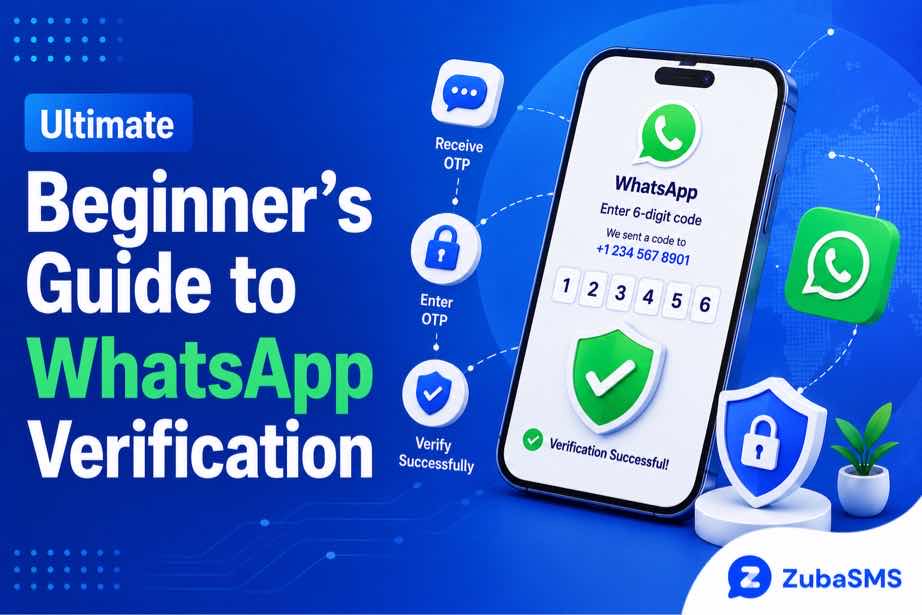
Ultimate Beginner’s Guide to WhatsApp Verification
Ultimate Beginner’s Guide to WhatsApp Verification
Setting up WhatsApp for the first time is usually straightforward, but the verification process can sometimes be confusing for beginners.
Before you can use a WhatsApp account, the service needs to confirm that you have access to the phone number you are registering. This is where phone number verification comes in.
In most cases, WhatsApp sends a temporary verification code to the number you provide. You then enter the code through the official WhatsApp application to complete the process.
This WhatsApp verification guide explains everything beginners need to know, including how verification works, how to prepare your phone number, common mistakes, troubleshooting tips, and important security practices.
Table of Contents
- What Is WhatsApp Verification?
- Why Does WhatsApp Verify Your Phone Number?
- How WhatsApp Verification Works
- What You Need Before Starting
- How to Verify Your WhatsApp Number
- Understanding the Verification Code
- Common WhatsApp Verification Problems
- Wrong Phone Number or Country Code
- Not Receiving the Verification Code
- Too Many Verification Attempts
- Using Temporary or Virtual Numbers
- WhatsApp Verification Security
- Using ZubaSMS
- Continue Reading
What Is WhatsApp Verification?
WhatsApp verification is the process used to confirm that you have access to the phone number you want to use with a WhatsApp account.
The verification process normally involves a temporary code sent through an available verification method.
Once the correct code is entered into the official WhatsApp application, the phone number can be verified and the account setup can continue.
The verification code is private and should never be shared with another person.
Why Does WhatsApp Verify Your Phone Number?
Phone number verification helps WhatsApp confirm that the person setting up an account has access to the number being registered.
This is important because a phone number can be used as an important identifier for an account.
Verification can also help prevent someone from registering an account using a phone number they do not legitimately control.
For users, the process provides a basic ownership and access check before an account can be fully activated.
How WhatsApp Verification Works
The general process is simple:
- Open the official WhatsApp application.
- Enter the phone number you want to register.
- Confirm the selected country.
- Request verification.
- Receive the verification code through the available method.
- Enter the valid code into WhatsApp.
- Complete the remaining account setup steps.
The exact options displayed can vary depending on the circumstances and the verification methods available to your account.
What You Need Before Starting
Before beginning WhatsApp verification, make sure you have access to the phone number you want to register.
You should also check the following:
- Your phone has a reliable network connection.
- The phone number is active and accessible.
- You have selected the correct country.
- You are using the official WhatsApp application.
- Your device has enough connectivity to receive the verification information.
Preparing these details beforehand can help prevent avoidable verification problems.
How to Verify Your WhatsApp Number
If you are a beginner, the verification process can be broken down into a few simple steps.
Step 1: Open WhatsApp
Install and open the official WhatsApp application on your device.
Step 2: Enter Your Phone Number
Enter the phone number you want to associate with the account.
Pay close attention to every digit before continuing.
Step 3: Confirm the Country
Select the country that corresponds to your phone number.
Using the wrong country can result in an incorrect international number format.
Step 4: Request Verification
Follow the instructions displayed by WhatsApp to request verification.
Step 5: Receive the Code
Wait for the verification code to arrive through the available verification channel.
Step 6: Enter the Code
Enter the valid verification code into the official WhatsApp application.
Step 7: Complete Setup
Once the number has been successfully verified, continue with the remaining account setup steps.
Understanding the Verification Code
The WhatsApp verification code is a temporary authentication code.
It is designed to be used during the verification process and should be kept private.
Do not send the code to friends, strangers, online contacts, or anyone claiming to be a support representative.
If you receive a verification code that you did not request, do not share it. An unexpected code may indicate that someone is attempting to register or access an account using your number.
Common WhatsApp Verification Problems
Beginners may encounter several common verification issues.
These can include:
- The verification code does not arrive.
- The code arrives late.
- The wrong phone number was entered.
- The wrong country was selected.
- Too many verification requests were made.
- The verification code has expired.
- The number type is not supported.
- There is a temporary network or delivery problem.
Understanding these problems makes it easier to troubleshoot the verification process without repeatedly retrying the same action.
Wrong Phone Number or Country Code
Entering the wrong phone number is one of the simplest ways to interrupt WhatsApp verification.
Before requesting a code, carefully check every digit.
You should also confirm that the correct country has been selected.
For example, a Nigerian number uses the +234 country code, while a United States number uses +1.
Always follow the international format displayed by WhatsApp rather than adding unnecessary characters or formatting.
Not Receiving the Verification Code
If your verification code does not arrive, avoid immediately requesting several additional codes.
First check:
- Whether the number is correct.
- Whether your phone has network coverage.
- Whether your device can receive SMS messages.
- Whether there is a temporary carrier delay.
Wait for the instructions displayed by WhatsApp and use the available verification option when it becomes available.
Too Many Verification Attempts
Repeatedly requesting verification codes within a short period can lead to temporary restrictions or waiting periods.
If this happens, stop making additional requests and follow the waiting instructions shown by WhatsApp.
Trying repeatedly during a temporary restriction is unlikely to make the process faster.
Using Temporary or Virtual Numbers
Some users consider temporary or virtual phone numbers for online verification.
However, number compatibility is determined by the platform. A virtual number that can receive SMS is not automatically guaranteed to work with WhatsApp verification.
Before using an alternative number, consider:
- Whether the number can receive the required verification message.
- Whether the number type is permitted by the platform.
- How long you will have access to the number.
- Whether you may need the number again for account recovery.
- Whether the number is private or shared.
For important accounts, maintaining reliable access to the registered number can be especially important.
WhatsApp Verification Security
Verification is not only about receiving a code. It is also about keeping that code secure.
Follow these basic security practices:
- Never share your verification code.
- Never share your two-step verification PIN.
- Use the official WhatsApp application.
- Avoid suspicious verification links.
- Be cautious of unexpected verification requests.
- Enable two-step verification when appropriate.
- Keep your phone and WhatsApp application updated.
Using ZubaSMS
ZubaSMS provides virtual phone numbers for supported SMS reception and legitimate communication and verification needs, depending on availability and platform compatibility.
If you are considering a virtual number, check:
- Country availability
- Incoming SMS support
- Temporary or rental options
- Access duration
- Platform compatibility
Remember that each platform independently determines whether a particular virtual number can be used for verification.
Explore ZubaSMS virtual numbers
Continue Reading
In Part 2, we will cover advanced troubleshooting, WhatsApp verification security tips, temporary versus long-term numbers, funding options, frequently asked questions, and the conclusion.
How to Troubleshoot WhatsApp Verification Problems
If WhatsApp verification is not completing successfully, the best approach is to work through the problem carefully instead of repeatedly requesting new codes.
Start with the basics:
- Confirm that you entered the correct phone number.
- Check that the correct country is selected.
- Make sure your phone has a reliable network connection.
- Confirm that your phone can receive SMS messages or other available verification methods.
- Wait for the recommended period before requesting another code.
- Use the newest valid verification code.
- Make sure you are using the official WhatsApp application.
If the problem continues, follow WhatsApp's official troubleshooting and support instructions rather than repeatedly attempting verification.
What Happens If the Verification Code Expires?
WhatsApp verification codes are temporary. If a code is no longer valid, it cannot be used to complete the verification process.
This can happen when:
- Too much time has passed.
- A newer verification code has been requested.
- The previous code has already been used.
- The verification session has changed.
If your code has expired, use the official option provided by WhatsApp to request a new verification code.
Why You Should Not Request Multiple Codes
One of the biggest beginner mistakes is repeatedly requesting verification codes because the first message has not arrived quickly.
This can create confusion because several codes may be generated within a short period. It can also result in temporary restrictions or additional waiting periods.
Instead, wait for the instructions shown by WhatsApp and use the appropriate verification option when available.
WhatsApp Verification and Two-Step Verification
WhatsApp verification and two-step verification serve different purposes.
The verification code is used to confirm access to the phone number during the account verification process.
Two-step verification adds another layer of account protection by allowing users to create a separate PIN.
Keeping this additional security feature enabled can make an account more difficult to access without authorization.
Remember that your verification code and two-step verification PIN are both private and should never be shared with another person.
How to Protect Your WhatsApp Account After Verification
Completing WhatsApp verification does not mean account security is finished. There are several steps you can take afterward to protect your account.
- Enable two-step verification: Add an extra layer of protection to your account.
- Protect your phone: Use a strong device PIN, password, or supported biometric security.
- Review linked devices: Remove devices you do not recognize.
- Keep the application updated: Install updates from official sources.
- Protect your email: Secure any email account used for recovery or security notifications.
These simple practices can help reduce the risk of unauthorized account access.
How to Recognize WhatsApp Verification Scams
Scammers may try to convince users to reveal their WhatsApp verification codes.
A scammer might claim that:
- A verification code was accidentally sent to your phone.
- They need your code to help you recover your account.
- They are a WhatsApp support representative.
- Your account will be blocked unless you provide a code.
These situations should be treated with caution.
Never share your WhatsApp verification code with another person.
If you receive an unexpected verification code, do not share it or enter it anywhere outside the official WhatsApp verification process.
Temporary Numbers vs Long-Term Numbers
Beginners sometimes wonder whether they should use a temporary number or a number they expect to keep for a longer period.
| Feature | Temporary Number | Long-Term Number |
|---|---|---|
| Access Duration | Short-term | Longer-term |
| Future Recovery | May be limited | Generally easier |
| Continuity | Limited | Better continuity |
| Best Use | Supported short-term needs | Important personal accounts |
For an account you expect to use for a long time, maintaining reliable access to the registered phone number is an important consideration.
Important Considerations When Using a Virtual Number
Virtual numbers can be useful for legitimate communication and verification workflows where they are supported.
However, users should understand that not every virtual number works with every platform.
Before selecting a virtual number, consider:
- Whether the number supports incoming SMS.
- Whether WhatsApp accepts that type of number.
- How long you will have access to the number.
- Whether the number is dedicated or shared.
- Whether you may need the number for future account recovery.
A temporary number that works during initial verification may not necessarily provide the long-term access needed for future account security.
Funding Options
| Location | Funding Method |
|---|---|
| Nigeria | Bank Transfer |
| Ghana | Mobile Money |
| Kenya | M-Pesa |
| International | USDT |
Payment methods and availability may change, so check the provider's current funding options before making a purchase.
Frequently Asked Questions
What is WhatsApp verification?
WhatsApp verification is the process used to confirm that you have access to the phone number you want to associate with a WhatsApp account.
How does WhatsApp verification work?
You enter your phone number into the official WhatsApp application, follow the verification instructions, receive a temporary verification code through an available method, and enter the valid code to complete the process.
Why am I not receiving my WhatsApp verification code?
Possible causes include an incorrect phone number, incorrect country selection, poor network coverage, delivery delays, temporary restrictions, or an unsupported number type.
What should I do if my WhatsApp verification code does not arrive?
Check your number and network connection, wait for the recommended period, and follow the official verification options displayed by WhatsApp.
Can I request another WhatsApp verification code?
Yes, when WhatsApp makes the option available. Avoid requesting multiple codes rapidly because this can cause additional delays or temporary restrictions.
Can I share my WhatsApp verification code?
No. Your verification code is private and should never be shared with another person.
Can I use a temporary phone number for WhatsApp verification?
Compatibility depends on WhatsApp's current requirements. A temporary number should only be used where the platform permits that number type and you can reliably access the required verification method.
Can I use a virtual number with WhatsApp?
Some virtual numbers may be supported, while others may be restricted. Always check compatibility before relying on a virtual number for account verification.
Should I keep the phone number after verifying WhatsApp?
For important accounts, maintaining access to the registered number can be useful because future security or recovery processes may require access to it.
How can I make WhatsApp verification safer?
Use the official WhatsApp application, keep your verification code and PIN private, avoid suspicious links, enable two-step verification, and maintain secure access to your registered phone number.
Conclusion
This WhatsApp verification guide shows that the verification process is generally simple, but small mistakes can cause unnecessary problems.
Before starting, make sure your phone number is correct, the appropriate country is selected, and you have reliable access to the verification method.
If a verification code does not arrive, avoid repeatedly requesting new codes. Check your network connection, confirm your information, wait when instructed, and use the official troubleshooting options.
Security is equally important. Never share your WhatsApp verification code or two-step verification PIN with anyone, and be cautious of unexpected messages asking for account information.
Temporary and virtual numbers can be useful for supported verification needs, but compatibility and long-term access should always be considered. For important accounts, a number that you can securely access over the long term may be more practical.
By understanding how verification works and following these basic security practices, beginners can complete WhatsApp verification more confidently while reducing common errors and protecting their accounts.