
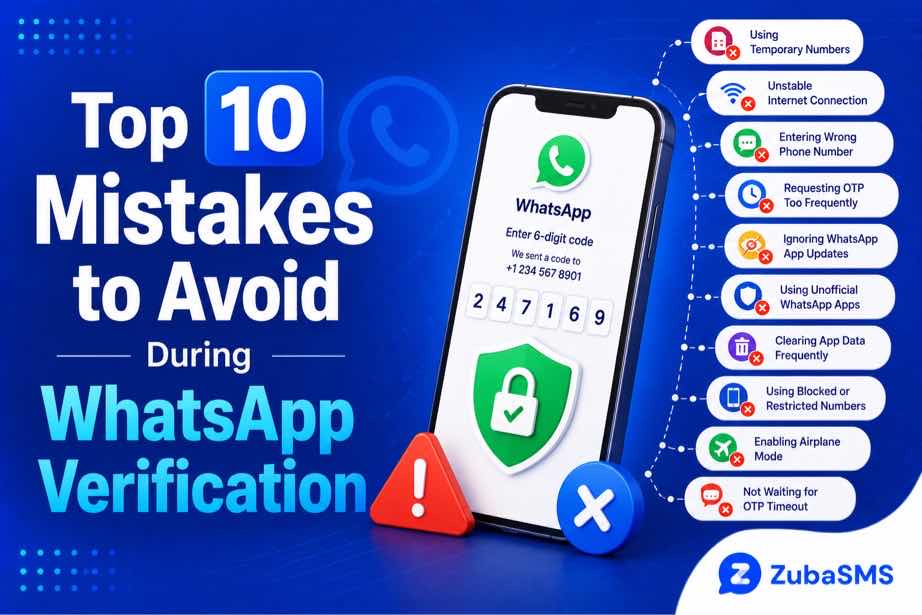
Top 10 Mistakes to Avoid During WhatsApp Verification
Top 10 Mistakes to Avoid During WhatsApp Verification
WhatsApp verification is an important step when setting up or accessing an account. The process is usually simple: enter a phone number, receive a verification code, and enter the code in the official WhatsApp application.
However, users can sometimes run into verification problems because of simple mistakes. Entering the wrong number, requesting too many codes, using an unsupported number type, or entering an expired code can all interrupt the process.
Understanding common WhatsApp verification mistakes can help you avoid unnecessary delays and protect your account during the verification process.
This guide covers ten common mistakes, explains why they happen, and provides practical ways to avoid them.
Table of Contents
- What Is WhatsApp Verification?
- How WhatsApp Verification Works
- 10 WhatsApp Verification Mistakes to Avoid
- How to Troubleshoot Verification Problems
- Security Best Practices
- Using a Virtual Number for WhatsApp
- Using ZubaSMS
- Frequently Asked Questions
- Conclusion
What Is WhatsApp Verification?
WhatsApp verification is the process used to confirm that you have access to the phone number associated with a WhatsApp account.
During verification, WhatsApp sends a code through an available verification channel. You then enter the code into the official application to complete the process.
The verification code is private and should never be shared with another person.
How WhatsApp Verification Works
The general verification process involves several steps:
- Open the official WhatsApp application.
- Enter your phone number.
- Confirm the country and phone number.
- Request verification.
- Receive the verification code through the available channel.
- Enter the valid code in WhatsApp.
- Complete the account setup or verification process.
Problems can occur if any part of the process is interrupted or if the information provided does not match the requirements.
10 WhatsApp Verification Mistakes to Avoid
1. Entering the Wrong Phone Number
One of the most common WhatsApp verification mistakes is entering an incorrect phone number.
A missing digit, an extra digit, or an incorrect number can prevent the verification code from reaching you.
Always double-check the number before submitting it.
2. Selecting the Wrong Country
WhatsApp uses country information when processing phone numbers.
If you select the wrong country, the international format of the number may be incorrect.
Before continuing, make sure the selected country matches the phone number you are trying to verify.
3. Requesting Too Many Codes
Repeatedly requesting verification codes within a short period can cause delays or temporary restrictions.
If a code does not arrive immediately, avoid repeatedly pressing the resend option.
Instead, wait for the appropriate period and follow the instructions displayed by WhatsApp.
4. Entering an Old Verification Code
Verification codes are temporary.
If you request a new code, an earlier code may no longer be valid.
Always use the most recent valid verification code you received.
5. Sharing Your Verification Code
This is one of the most serious mistakes to avoid.
Your WhatsApp verification code is private. Never send it to another person, even if they claim to be a friend, support representative, or someone helping you access your account.
Someone who obtains your verification information may attempt to gain unauthorized access to your account.
6. Using an Unsupported Number
Not every phone number or number type will necessarily work with every verification process.
Virtual, VoIP, temporary, or previously used numbers may be subject to platform restrictions.
If you are using an alternative number, make sure it is permitted and capable of receiving the required verification message.
7. Ignoring Network Problems
SMS delivery depends on communication networks and carrier routing.
Poor signal, network congestion, roaming limitations, or temporary carrier issues can delay verification messages.
Check your connection and wait briefly before trying again.
8. Using Unofficial WhatsApp Applications
Using unofficial or modified WhatsApp applications can create additional security and compatibility problems.
For account verification, use the official WhatsApp application obtained through an appropriate official app store or WhatsApp's official channels.
9. Entering the Code on a Suspicious Website
Never enter a WhatsApp verification code into a website or form simply because someone sent you a link.
Verification codes should only be entered into the official WhatsApp verification process.
Unexpected requests for your code can be a warning sign of phishing or an attempted account takeover.
10. Forgetting About Two-Step Verification
WhatsApp also provides additional account-security features, including two-step verification.
Users should understand that the verification code used during registration is different from an optional two-step verification PIN.
Keeping additional security features enabled can provide another layer of protection for an account.
How to Troubleshoot WhatsApp Verification Problems
If WhatsApp verification is not working, start with the basics.
- Check the phone number.
- Confirm the country selection.
- Make sure the phone can receive messages or calls when applicable.
- Check the network connection.
- Wait before requesting another code.
- Use the newest verification code.
- Make sure you are using the official WhatsApp application.
- Follow any verification instructions displayed by WhatsApp.
Avoid repeatedly attempting verification when the system has placed a temporary restriction on further requests.
Security Best Practices
Good verification habits can help protect your WhatsApp account.
- Never share your verification code.
- Never share your two-step verification PIN.
- Use the official WhatsApp application.
- Be cautious of unexpected messages requesting codes.
- Enable two-step verification when appropriate.
- Keep your phone and applications updated.
- Use a phone number that you can securely access.
Using a Virtual Number for WhatsApp
Some users may consider a virtual phone number when registering for services that permit virtual numbers.
However, number compatibility depends on the platform and its verification policies. A virtual number that can receive SMS is not automatically guaranteed to work with WhatsApp verification.
Before using any alternative number, consider:
- Whether the number can receive the required verification message.
- Whether you have reliable access to the number.
- Whether the number is temporary or long-term.
- Whether you may need access to the number again later.
- Whether WhatsApp permits the number type.
Using ZubaSMS
ZubaSMS provides virtual phone numbers for supported SMS reception and legitimate communication and verification needs, depending on availability and platform compatibility.
Before selecting a number, check:
- Country availability
- Incoming SMS support
- Temporary or rental options
- Access duration
- Platform compatibility
Individual platforms determine whether a particular number type is accepted for verification.
Explore ZubaSMS virtual numbers
Continue Reading
In Part 2, we will cover additional troubleshooting tips, account-security recommendations, funding options, frequently asked questions, and the conclusion.
Additional Tips for Successful WhatsApp Verification
Once you understand the most common WhatsApp verification mistakes, a few additional habits can make the process easier and help prevent unnecessary verification problems.
Check Your Phone Before Starting
Make sure your phone is connected to a reliable mobile network and can receive the type of verification message or call offered by WhatsApp.
If your device has poor reception, moving to an area with better signal may help resolve delivery delays.
Keep Your Number Accessible
Use a phone number that you can reliably access during the verification process.
This is particularly important if you may need the same number for future account recovery or security checks.
Do Not Rush the Process
If a verification code does not arrive immediately, avoid repeatedly requesting new codes.
Multiple requests can make it harder to determine which code is current and may lead to temporary restrictions.
Follow the waiting period or instructions shown by the application instead.
What to Do If Your WhatsApp Verification Code Is Not Received
If you have entered the correct number but have not received a verification code, check the following:
- Confirm that the phone number is correct.
- Check that the selected country is correct.
- Make sure your phone has network coverage.
- Check whether your device can receive SMS messages.
- Wait for the recommended period before requesting another code.
- Use the latest valid code if multiple messages arrive.
- Follow WhatsApp's official verification instructions.
If the issue continues, avoid repeatedly attempting verification and consult WhatsApp's official support resources.
Why Repeated Verification Attempts Can Cause Problems
Repeated verification attempts can sometimes trigger temporary security measures.
These protections are designed to prevent abuse and unusual verification activity.
If you have already requested several codes, the best approach is usually to stop making additional requests and wait until the service allows another attempt.
This can also prevent confusion caused by receiving multiple verification messages with different codes.
How to Protect Your WhatsApp Account After Verification
Successful verification is only the beginning of account security.
After verifying your number, consider the following security measures:
- Enable two-step verification: This adds an additional PIN-based security layer.
- Protect your phone: Use an appropriate device lock such as a PIN, password, or supported biometric protection.
- Keep WhatsApp updated: Install updates from official sources.
- Review linked devices: Check connected devices regularly and remove any that you do not recognize.
- Protect your email: If your email is used for account recovery, secure it with strong authentication.
How to Recognize a WhatsApp Verification Scam
Scammers may attempt to obtain WhatsApp verification codes by pretending to be someone you know or an official representative.
Be especially cautious if someone:
- Asks you to send them your verification code.
- Claims that a code was accidentally sent to your phone.
- Pressures you to act immediately.
- Sends a suspicious link asking you to verify your account.
- Requests your two-step verification PIN.
Do not provide the requested information. Instead, open WhatsApp directly and check your account security settings.
Temporary and Virtual Numbers: Important Considerations
Temporary and virtual numbers can have different characteristics from ordinary personal mobile numbers.
Before using one for a supported verification process, consider the following:
| Factor | Why It Matters |
|---|---|
| SMS Support | The number must be able to receive the required message. |
| Access Duration | You may need continued access for future security checks. |
| Number Type | Some platforms restrict temporary, shared, or VoIP numbers. |
| Privacy | Shared numbers may not provide the same privacy as a dedicated number. |
| Recovery | Losing access to a number can make future account recovery more difficult. |
Always follow WhatsApp's current requirements and use only verification methods permitted by the service.
Funding Options
| Location | Funding Method |
|---|---|
| Nigeria | Bank Transfer |
| Ghana | Mobile Money |
| Kenya | M-Pesa |
| International | USDT |
Payment methods and availability may change, so check the provider's current funding options before making a purchase.
Frequently Asked Questions
What are the most common WhatsApp verification mistakes?
Common mistakes include entering the wrong phone number, selecting the wrong country, requesting too many codes, using an expired code, sharing a verification code, and using an unsupported number type.
Why is my WhatsApp verification code not arriving?
The issue may be caused by an incorrect number, poor network coverage, delivery delays, temporary restrictions, or problems with the selected verification method.
What should I do if I request too many WhatsApp verification codes?
Stop requesting additional codes and wait for the restriction or waiting period to end. Follow the instructions displayed by WhatsApp before trying again.
Can I share my WhatsApp verification code?
No. Your verification code is private and should never be shared with another person.
What if someone asks me for my WhatsApp code?
Do not provide it. Someone asking for your verification code may be attempting to gain unauthorized access to your account.
Can I use a temporary phone number for WhatsApp verification?
Number compatibility is determined by WhatsApp and its current verification requirements. A temporary number should only be used if the service permits that number type and you can reliably receive the required verification message.
Can I use a virtual number for WhatsApp?
Some virtual numbers may be supported while others may not be accepted. Always check compatibility and make sure you have legitimate access to the number.
Does WhatsApp verification require an OTP?
WhatsApp uses a verification code to confirm access to the phone number during registration or related verification processes. The exact verification options available can depend on the account and circumstances.
How can I make WhatsApp verification safer?
Use the official WhatsApp application, keep your verification code private, avoid suspicious links, enable two-step verification, and use a phone number you can securely access.
Should I keep my verification number after setting up WhatsApp?
For important accounts, maintaining access to the registered number can be useful because future security or recovery processes may depend on it.
Conclusion
Avoiding common WhatsApp verification mistakes can make the verification process smoother while helping protect your account from unnecessary security risks.
The most important habits are simple: enter the correct phone number, select the correct country, avoid repeated verification requests, use the latest valid code, and never share your verification code with anyone.
You should also use the official WhatsApp application and be cautious of unexpected messages, links, or people asking for your verification information.
For users considering temporary or virtual numbers, remember that compatibility is determined by the platform. A number that can receive SMS is not automatically guaranteed to work with WhatsApp verification.
Finally, account security should continue after verification. Enabling two-step verification, protecting your device, reviewing linked devices, and keeping your application updated can provide additional protection.
By understanding the most common verification errors and following safe authentication practices, you can reduce avoidable problems and keep your WhatsApp account better protected.