
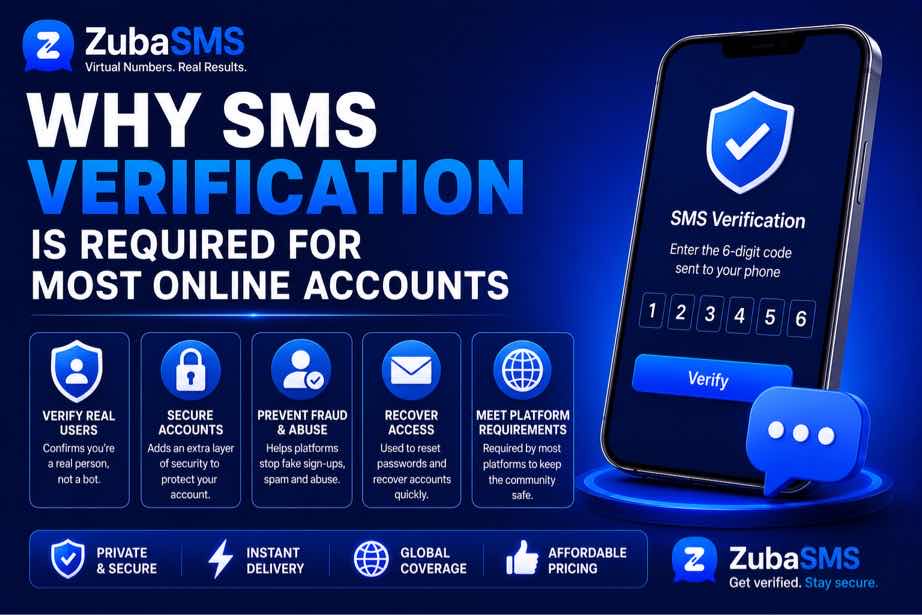
Why SMS Verification Is Required for Most Online Accounts
Why SMS Verification Is Required for Most Online Accounts
Have you ever created an online account and been asked to enter a code sent to your phone? Whether you are signing up for a social media platform, email service, messaging app, financial service, or another website, this extra step has become extremely common.
If you have ever wondered why SMS verification is required for so many online accounts, the main reason is simple: a phone number gives the service another way to confirm that the person creating or accessing an account is a real user.
SMS verification is not perfect, but it remains one of the most widely used verification methods because it is familiar, relatively easy to implement, and available to billions of mobile-phone users.
What Is SMS Verification?
SMS verification is a process where a website or application sends a temporary code to a phone number. The user enters that code into the service to confirm that they can receive messages on that number.
This temporary code is often called an OTP, which means One-Time Password or One-Time Passcode.
A typical verification process looks like this:
- You enter your phone number during registration or login.
- The platform generates a temporary verification code.
- The code is sent to your phone through SMS.
- You enter the code on the website or app.
- The platform checks whether the code is correct and still valid.
- Your phone number is confirmed.
The code is normally designed to expire after a short period, which reduces the chance of someone using an old verification message later.
Why SMS Verification Is Required
There is no single reason every platform uses SMS verification. Instead, businesses use it for several different purposes, including account security, fraud prevention, account recovery, and user identification.
1. To Confirm That a Phone Number Is Real
One of the simplest reasons for SMS verification is to confirm that the phone number provided during registration actually works.
Without verification, someone could enter random numbers, inactive numbers, or numbers belonging to other people. Sending an OTP provides a basic check that the user can receive messages at the number they entered.
This is especially useful for platforms that need a reliable way to contact users.
2. To Reduce Fake Accounts
Online services constantly deal with spam, automated registrations, bots, and fake accounts.
Requiring a phone number can make mass account creation more difficult because every registration may require access to a working number capable of receiving the verification code.
SMS verification therefore acts as one layer of protection against automated or abusive account creation.
3. To Add Another Layer of Security
Passwords can be stolen, guessed, reused, or exposed in data breaches. SMS verification gives an account an additional authentication step.
For example, a service may require both:
- Your username or email address
- Your password
- A temporary SMS verification code
Even if someone knows your password, they may still need access to the phone number associated with the account.
4. To Prevent Unauthorized Logins
Some platforms request an SMS code when they detect a login from a new device, browser, or location.
This can help identify suspicious access attempts. If someone has obtained your password but cannot complete the second verification step, the login may be blocked.
This is one reason why SMS verification is often used during account login, not just registration.
5. To Help With Account Recovery
People forget passwords all the time. A verified phone number can provide another way to recover an account.
A service may send a verification code to the registered number before allowing the user to reset their password or regain access.
However, users should make sure their recovery information stays current. A phone number that no longer belongs to them can create security and account-access problems.
Why Do Websites Prefer SMS Verification?
SMS verification became popular partly because mobile phones are already part of everyday life.
Unlike some authentication systems that require special hardware or additional applications, SMS verification can work with a normal mobile phone capable of receiving text messages.
For many services, this makes SMS a convenient way to reach a large number of users.
It Is Easy for Users
Most people understand how to receive and enter a six-digit verification code.
There is usually no complicated setup. The platform sends the OTP, the user enters it, and verification is complete.
It Works Across Many Devices
SMS does not depend entirely on the operating system of a smartphone. A user can receive a text message on many types of mobile devices.
This broad compatibility is another reason SMS remains common.
It Can Be Used During Registration
Services can request a phone number before an account is fully created. This allows them to perform verification before granting complete access.
How SMS Verification Helps Prevent Fraud
Fraudsters often create large numbers of accounts to send spam, abuse promotional offers, impersonate users, or perform other unwanted activities.
SMS verification can increase the effort required to create those accounts.
For example, a platform can combine SMS verification with other security systems such as:
- IP reputation checks
- Device identification
- Rate limiting
- Behavior analysis
- CAPTCHA challenges
- Account activity monitoring
SMS verification works best as part of a broader security system rather than as the only protection.
Why Do Apps Send OTP Codes?
An OTP provides temporary proof that the user has access to the phone number being verified.
Unlike a permanent password, an OTP normally has a short lifespan and is intended for a single verification attempt.
For example, you might receive a message containing a code such as 482913. After entering it successfully, that code should no longer be useful for another verification attempt.
This temporary nature makes OTPs practical for account verification and authentication.
SMS Verification During Account Registration
Many platforms request a phone number while you are creating an account.
The platform may use SMS verification to confirm the number before completing registration.
This can help the service:
- Reduce automated signups
- Detect repeated registrations
- Confirm that a phone number can receive messages
- Improve account recovery options
- Add an additional identity signal
However, the exact reason varies from one service to another.
SMS Verification During Login
SMS verification is also commonly used when someone logs in from a new device.
For example, you may know your password and still receive an OTP because the platform wants additional confirmation that the login is legitimate.
This approach is often called two-factor authentication when the SMS code is used alongside another authentication factor.
SMS Verification and Two-Factor Authentication
SMS verification and two-factor authentication are related, but they are not always exactly the same thing.
SMS can be used as one authentication factor. In a typical two-factor setup, the first factor could be your password while the second factor is a code sent to your phone.
Other forms of two-factor authentication include:
- Authenticator applications
- Security keys
- Passkeys
- Biometric authentication
These methods can provide stronger protection than SMS in certain situations.
Is SMS Verification Completely Secure?
No. Understanding why SMS verification is required does not mean assuming that SMS is impossible to attack.
SMS-based verification has known limitations. Attackers may attempt to take control of a victim's phone number through techniques such as SIM swapping or social engineering.
Phishing is another major concern. An attacker may trick someone into revealing an OTP by pretending to be a legitimate company or support representative.
There can also be risks involving mobile networks, compromised devices, number reassignment, and message interception.
For this reason, highly sensitive accounts may benefit from stronger authentication methods in addition to or instead of SMS.
Common Problems With SMS Verification
Although SMS verification is convenient, users sometimes experience problems receiving their codes.
1. Delayed SMS
Network congestion or carrier-related problems can delay a verification message.
2. Wrong Phone Number
A single incorrect digit can send the OTP to another number.
3. Poor Network Coverage
If the mobile device has weak cellular connectivity, SMS delivery may be delayed.
4. Too Many Verification Requests
Repeatedly requesting new codes can trigger rate limits. Some platforms temporarily stop sending additional OTPs after too many attempts.
5. Unsupported Numbers
Some services do not accept every type of phone number. They may restrict certain virtual, VoIP, landline, recycled, or previously abused numbers.
Why Some Websites Reject Phone Numbers
Not every phone number is treated equally by online services.
A platform may reject a number because it has been associated with suspicious activity, has been used for too many registrations, belongs to an unsupported number type, or does not meet the platform's verification requirements.
This is one reason users can sometimes receive messages such as “This phone number cannot be used for verification.”
If that happens, using random numbers repeatedly is usually not the best approach. Check the platform's requirements and use a legitimate number that you are authorized to use.
Can You Use a Virtual Number for SMS Verification?
Virtual phone numbers can receive SMS messages without being tied to a traditional physical SIM in the same way as a conventional mobile number.
However, acceptance depends entirely on the platform. Some services accept certain virtual numbers, while others actively block them.
If you are using a virtual number for a legitimate purpose, choose a provider that clearly explains how its numbers work and whether they are suitable for SMS verification.
For services that support virtual numbers, ZubaSMS can be used to obtain numbers for supported SMS verification purposes.
How to Make SMS Verification Safer
Users can take several steps to reduce the risks associated with SMS verification.
- Never share OTP codes with another person.
- Do not enter verification codes into suspicious websites.
- Protect your mobile account with available carrier security features.
- Use a strong, unique password for important accounts.
- Enable stronger authentication methods when a service provides them.
- Keep your recovery phone number updated.
- Be cautious of unexpected OTP messages.
Why SMS Verification Is Still Popular
Despite its limitations, SMS verification remains popular because it offers a practical balance between security, convenience, and accessibility.
Businesses can integrate it into registration and login systems, while users generally understand the process without needing technical knowledge.
It also allows platforms to add an additional security layer without requiring every user to purchase special authentication hardware.
SMS Verification vs Other Verification Methods
| Method | Main Advantage | Main Limitation |
|---|---|---|
| SMS OTP | Easy and widely accessible | Vulnerable to some phone-number attacks |
| Authenticator App | Works without SMS delivery | Requires setup and access to the app |
| Security Key | Strong protection against phishing | Requires compatible hardware |
| Passkey | Strong and convenient authentication | Availability varies by service and device |
Frequently Asked Questions
Why SMS verification is required for online accounts?
SMS verification is commonly required to confirm phone-number ownership, reduce fake accounts, add an authentication layer, prevent certain types of abuse, and provide an account recovery option.
Is SMS verification safe?
SMS verification provides useful protection, but it is not completely secure. SIM swapping, phishing, social engineering, and other attacks can put SMS-based authentication at risk.
Why do I need a phone number to create an account?
A platform may require a phone number to verify that you are a real user, reduce automated registrations, improve security, or provide an additional recovery method.
Why am I not receiving my SMS verification code?
Possible causes include network delays, incorrect phone numbers, carrier problems, service-side delays, rate limits, or unsupported numbers.
Can I use a virtual number for verification?
It depends on the platform. Some services accept virtual numbers while others block or restrict them. Always check the service's requirements before choosing a number.
Can someone steal my account through an SMS code?
An attacker may attempt to obtain an SMS code through phishing, social engineering, SIM swapping, or other methods. Never share OTPs with anyone and use stronger authentication when available.
Final Thoughts
Understanding why SMS verification is required makes the process much easier to understand. Online platforms use it because a verified phone number can provide another layer of protection against fake registrations, unauthorized access, and certain forms of abuse.
At the same time, SMS verification should not be considered a perfect security solution. It works best as one part of a larger account-security system.
For users, the most important habits are simple: protect your phone number, never share OTP codes, watch out for phishing attempts, and use stronger authentication options when they are available.
If you need a virtual number for a supported SMS verification purpose, ZubaSMS provides virtual numbers designed for SMS-based verification.
Key Takeaways
- SMS verification confirms access to a phone number.
- It helps reduce fake accounts and automated abuse.
- It can provide an additional layer of account security.
- SMS OTPs are also commonly used for account recovery and new-device logins.
- SMS verification has security limitations, including SIM swapping and phishing.
- Some platforms restrict or reject virtual and other types of phone numbers.
- Stronger authentication methods may be preferable for highly sensitive accounts.
- Never share an SMS verification code with another person.
How SMS Verification Works
Now that we understand why SMS verification is required, it is useful to look at what actually happens behind the scenes.
When you enter your phone number on a website or app, the service generates a temporary verification code. That code is sent to the number you provided through an SMS gateway.
You then enter the code into the verification screen. If the code matches and has not expired, the platform confirms the phone number.
The Typical SMS Verification Process
- You enter your phone number.
- The platform creates a unique OTP.
- The OTP is sent to your phone through SMS.
- You receive the text message.
- You enter the code into the website or app.
- The platform checks the code.
- Your phone number is verified if the information is correct.
Most verification codes are temporary. This means they are designed to become invalid after a short period or after they have been successfully used.
Why Businesses Use SMS Verification
Businesses have several reasons for requiring customers to verify their phone numbers.
Reducing Fake Registrations
SMS verification can make it harder for automated systems and malicious users to create large numbers of accounts.
While SMS verification cannot eliminate fake accounts completely, it adds another obstacle that attackers must overcome.
Protecting User Accounts
A verified phone number can be used as an additional authentication factor when a user signs in from a new device or attempts to perform a sensitive action.
This is particularly useful when combined with a strong password and other security controls.
Account Recovery
Phone verification can also help users recover accounts when they forget their passwords.
A platform may send an OTP to the registered number before allowing a password reset or other recovery action.
Security Benefits of SMS Verification
SMS verification has several practical security benefits, which explain its continued popularity.
It Adds Protection Beyond a Password
A password alone can be compromised through phishing, credential stuffing, data breaches, or password reuse.
Adding an SMS code means an attacker may need another piece of information or access to the associated phone number.
It Can Detect Suspicious Login Attempts
Some services request SMS verification when a login appears unusual, such as when it comes from a new device.
This can give the legitimate account owner an opportunity to notice that someone may be attempting to access their account.
It Helps Verify User Contact Information
Businesses often need reliable contact information for notifications, account recovery, or important security alerts.
Verifying a phone number helps confirm that the number entered during registration can actually receive messages.
What Are the Risks of SMS Verification?
Although SMS verification provides useful protection, it has limitations. Understanding these risks is important when deciding how much security an account needs.
SIM Swapping
SIM swapping occurs when an attacker manages to convince a mobile provider to transfer a victim's phone number to another SIM or device.
If successful, the attacker may receive SMS messages intended for the legitimate owner, including verification codes.
This is one of the major reasons security-conscious users should not rely exclusively on SMS for highly sensitive accounts.
Phishing
Attackers can create fake login pages or send convincing messages designed to trick users into revealing their OTPs.
Once a verification code is handed over, the attacker may be able to complete an authentication attempt before the code expires.
Never give your SMS verification code to someone claiming to be customer support.
Phone Number Reassignment
Mobile phone numbers can eventually be reassigned by carriers. If an old number remains connected to an account after you stop using it, another person could eventually receive messages sent to that number.
For this reason, users should update their account information whenever they permanently change phone numbers.
Mobile Device Compromise
If a phone is compromised by malicious software or an attacker gains access to the device, SMS messages may potentially be exposed.
Keeping your phone, operating system, and applications updated can reduce some security risks.
Why Some Verification Codes Expire Quickly
You may notice that an SMS verification code only remains valid for a few minutes.
This is intentional. A short expiration period limits the amount of time an attacker has to use a stolen or accidentally exposed OTP.
For example, if a code remains valid for only a few minutes, an attacker has a much smaller window in which to use it.
Services may also limit the number of incorrect attempts to make guessing an OTP more difficult.
Why You Should Not Request Too Many OTPs
Repeatedly requesting verification codes can cause problems.
Many platforms use rate limits to prevent abuse. If you repeatedly request an OTP, the service may temporarily stop sending new messages.
Multiple requests can also create confusion because several codes may arrive at different times. In some systems, requesting a newer code invalidates an older one.
If a code does not arrive immediately, wait a reasonable amount of time before requesting another one.
How to Keep SMS Verification Secure
Users can take several simple steps to make SMS-based authentication safer.
1. Never Share Your OTP
Your verification code is intended for you. Do not send it to friends, strangers, online sellers, or people claiming to work for a platform.
2. Be Careful With Links
If you receive a message asking you to click a link and enter an OTP, make sure you know exactly where the link leads.
When possible, open the official application or website directly instead of following an unexpected link.
3. Secure Your Mobile Account
Ask your mobile provider about available security features that can help protect your phone account from unauthorized changes.
4. Use Strong Passwords
SMS verification should not replace good password security.
Use unique passwords for important accounts and avoid reusing the same password across multiple services.
5. Enable Stronger Authentication When Available
Some services offer authenticator apps, passkeys, or security keys in addition to SMS.
For sensitive accounts, consider using the strongest authentication option supported by the service.
SMS Verification for Businesses
Businesses should treat SMS verification as one component of a broader security system rather than their only defense against fraud.
A strong verification system can combine OTPs with:
- Rate limiting
- Device and browser signals
- IP reputation checks
- Fraud detection
- Account activity monitoring
- CAPTCHA or bot protection
- Risk-based authentication
Combining multiple signals can make it much harder for automated attackers to abuse account-registration and login systems.
Virtual Numbers and SMS Verification
Virtual phone numbers are another option used for receiving SMS verification messages where the relevant service permits them.
They can be useful when a user needs a separate number for a legitimate online service, testing environment, business workflow, or supported verification process.
However, acceptance varies between platforms. Some websites accept virtual numbers while others restrict certain number types.
If you need a virtual number for a supported verification service, ZubaSMS provides virtual numbers for SMS-based verification purposes.
What to Do When SMS Verification Fails
Sometimes the issue is not security but simple delivery failure.
If your verification code does not arrive, try the following:
- Check that you entered the correct phone number.
- Confirm that your phone has cellular service.
- Wait a few minutes for a delayed message.
- Check whether your SMS inbox is working normally.
- Avoid repeatedly requesting new codes.
- Try again later if the platform has temporarily rate-limited you.
- Check whether the service supports your type of phone number.
If the platform continues rejecting the number, review its verification requirements rather than repeatedly submitting the same number.
Frequently Asked Questions
Why SMS verification is required for most online accounts?
It is commonly used to confirm access to a phone number, reduce fake registrations, provide another layer of authentication, and support account recovery.
Is SMS verification safer than using only a password?
Generally, adding another verification step provides more protection than relying on a password alone. However, SMS has known weaknesses and stronger authentication methods may provide better protection for sensitive accounts.
Can hackers intercept SMS verification codes?
SMS codes can be exposed through several attack methods, including phishing, SIM swapping, compromised devices, and certain weaknesses in telecommunications systems.
Why does my SMS verification code expire?
Short expiration times reduce the period during which an OTP can be used if it is exposed or stolen.
Can I use a virtual phone number for SMS verification?
It depends on the website or application. Some platforms accept virtual numbers, while others restrict them. Always check the service's requirements.
Final Thoughts
There is a good reason why SMS verification has become such a common part of creating and accessing online accounts. It provides businesses with a practical way to confirm phone-number access, reduce certain types of abuse, and add another layer of account protection.
However, SMS verification is not a perfect security system. Users should understand risks such as phishing, SIM swapping, number reassignment, and compromised devices.
The safest approach is to treat SMS verification as one part of your overall security strategy. Protect your phone number, never share OTPs, use strong passwords, and choose stronger authentication methods whenever they are available.
For supported SMS verification needs involving virtual numbers, you can also explore ZubaSMS.
Key Takeaways
- SMS verification confirms access to a phone number.
- It can help reduce fake accounts and automated abuse.
- SMS OTPs provide an additional layer of account protection.
- Short-lived codes reduce the time available for misuse.
- SIM swapping and phishing are important SMS security risks.
- Never share your verification code with another person.
- Keep your phone number updated on important accounts.
- Use stronger authentication methods when available for sensitive accounts.