
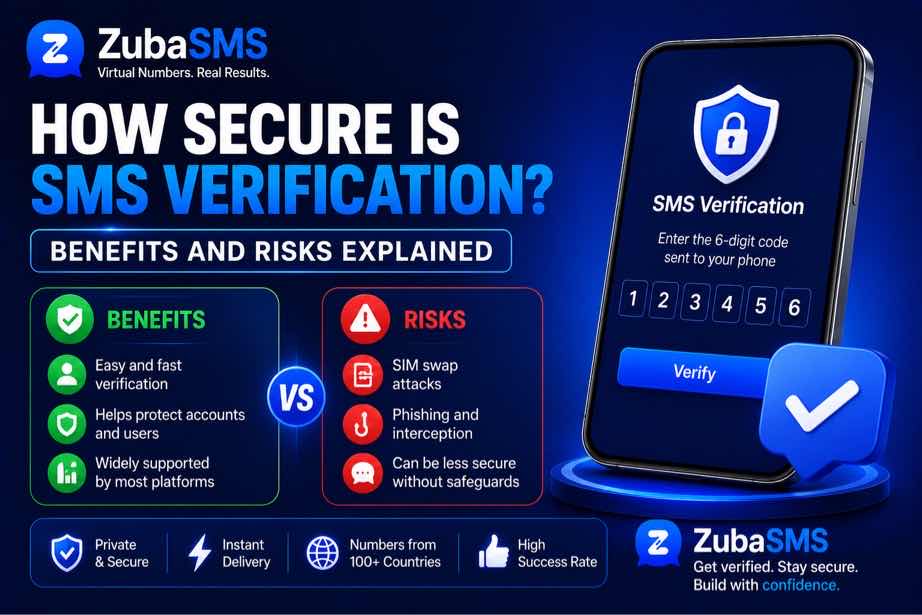
How Secure Is SMS Verification? Benefits and Risks Explained
How Secure Is SMS Verification? Benefits and Risks Explained
SMS verification is one of the most widely used ways to confirm a phone number and add another layer of protection to an online account.
From social media and messaging apps to online stores, email services, financial platforms, and business applications, millions of users encounter SMS verification every day.
But how secure is it really?
The answer is more complicated than simply saying that SMS verification is safe or unsafe. SMS verification security can provide meaningful protection against certain attacks, but SMS also has weaknesses that businesses and users need to understand.
Security organizations such as NIST classify SMS-based authentication as a restricted authentication method because of risks including SIM swapping, phone-number reassignment, and weaknesses in the telephone signaling infrastructure. [oai_citation:0‡pages.nist.gov](https://pages.nist.gov/800-63-3-Implementation-Resources/63B/Authenticators/?utm_source=chatgpt.com)
In this guide, we will explain the benefits and risks of SMS verification, common attacks, how businesses can improve security, and when stronger authentication methods may be more appropriate.
Quick Answer: SMS verification is better than relying on a password alone in many situations, but it is not the strongest authentication method available. For sensitive accounts, phishing-resistant methods such as security keys or passkeys can provide stronger protection.
What Is SMS Verification?
SMS verification is a process where a service sends a temporary code to a phone number.
The user receives the code by text message and enters it into the website or application. If the code is correct and still valid, the service can complete the requested verification.
This temporary code is commonly called an OTP, or One-Time Password.
A typical SMS verification process works like this:
- The user enters a phone number.
- The platform generates a temporary verification code.
- The code is sent through SMS.
- The user receives the message.
- The user enters the OTP into the platform.
- The platform checks the code.
- The verification succeeds if the code is valid.
Why Is SMS Verification Used?
SMS verification is popular because it is relatively simple for users to understand and does not require everyone to install a dedicated authentication application.
A phone can receive an SMS even when the user does not have a smartphone application specifically designed for authentication.
Businesses may use SMS verification for:
- Account registration
- Login verification
- Password recovery
- Phone-number confirmation
- Transaction confirmation
- Account recovery
- Suspicious-login checks
- Changes to sensitive account information
How Secure Is SMS Verification?
SMS verification provides useful protection, but it is not completely secure.
One of its biggest advantages is that an attacker who only has a password may still need access to the user's verification code.
This additional step can make many common account-takeover attempts more difficult.
However, SMS relies on the mobile telephone network and the security of the user's phone account. Attackers can sometimes target the phone number itself rather than trying to guess the OTP.
NIST identifies risks involving SIM changes, number porting, telephone-number reassignment, and weaknesses in the public telephone network. [oai_citation:1‡pages.nist.gov](https://pages.nist.gov/800-63-4/sp800-63b.html?utm_source=chatgpt.com)
Benefits of SMS Verification Security
1. Adds Protection Beyond Passwords
Passwords can be stolen through phishing, malware, data breaches, password reuse, or other attacks.
Requiring an additional SMS code means that knowing the password alone may not be enough to complete the login.
CISA recommends multifactor authentication because it makes it more difficult for attackers to access accounts using compromised credentials. [oai_citation:2‡cisa.gov](https://www.cisa.gov/audiences/small-and-medium-businesses/secure-your-business/require-multifactor-authentication?utm_source=chatgpt.com)
2. Easy for Users to Understand
Most mobile users already understand how to read a text message and enter a short verification code.
This familiarity can make SMS easier to deploy than authentication methods that require additional applications or hardware.
3. Does Not Require a Dedicated Authentication App
SMS verification can work without requiring users to install a separate authenticator application.
This can make onboarding simpler for services with a large and diverse customer base.
4. Useful for Phone Number Confirmation
SMS can help a platform determine whether a user has access to the phone number they entered.
This is particularly useful during registration or when confirming contact information.
5. Can Reduce Certain Types of Automated Abuse
Requiring phone verification can increase the effort involved in creating large numbers of accounts automatically.
Although it does not eliminate fake accounts or fraud, it can be useful as one component of a broader anti-abuse system.
The Biggest Risks of SMS Verification
Understanding the limitations of SMS is important if you want to make informed decisions about SMS verification security.
1. SIM Swapping
SIM swapping occurs when an attacker convinces a mobile carrier to transfer a victim's phone number to another SIM or device.
If successful, the attacker may receive SMS messages intended for the legitimate owner, including verification codes.
This is one reason security organizations recommend stronger authentication methods for accounts that require high security. CISA specifically identifies SIM-swap attacks as a risk associated with some forms of MFA. [oai_citation:3‡cisa.gov](https://www.cisa.gov/sites/default/files/2023-01/fact-sheet-implementing-phishing-resistant-mfa-508c.pdf?utm_source=chatgpt.com)
2. Phishing
An attacker may create a fake website or message designed to trick a user into entering their OTP.
In this situation, the attacker may not need to intercept the SMS itself. Instead, they convince the victim to provide the code directly.
This is why users should never enter verification codes into suspicious websites or share them with someone who contacts them unexpectedly.
3. SS7-Related Risks
SMS depends on telecommunications infrastructure that has known security weaknesses.
NIST notes that weaknesses in SS7, a signaling system used in telecommunications, can create opportunities for attackers to intercept SMS-based authentication secrets. [oai_citation:4‡pages.nist.gov](https://pages.nist.gov/800-63-3-Implementation-Resources/63B/Authenticators/?utm_source=chatgpt.com)
4. Phone Number Reassignment
Phone numbers can eventually be reassigned by carriers.
If an old number remains associated with an account and is later assigned to another person, account recovery or verification processes can create security complications.
NIST specifically identifies telephone-number reassignment as one of the concerns associated with SMS-based authentication. [oai_citation:5‡pages.nist.gov](https://pages.nist.gov/800-63-3-Implementation-Resources/63B/Authenticators/?utm_source=chatgpt.com)
5. Malware and Compromised Devices
If a device contains malicious software capable of reading SMS messages, an attacker may potentially obtain verification codes.
NIST includes malicious software on an endpoint as a potential threat to out-of-band authentication secrets delivered through SMS. [oai_citation:6‡pages.nist.gov](https://pages.nist.gov/800-63-4/sp800-63b/security/?utm_source=chatgpt.com)
6. Social Engineering
Attackers may pretend to be customer-support agents, employees, friends, or representatives of a trusted company.
The goal is often to persuade the victim to reveal a verification code.
No technical security system can fully protect an account if a user voluntarily gives an attacker the authentication secret.
SMS Verification vs Stronger Authentication Methods
Not all forms of multifactor authentication provide the same level of protection.
CISA recommends using the strongest authentication option available and places phishing-resistant methods such as security keys above text-message codes in its MFA guidance. [oai_citation:7‡cisa.gov](https://www.cisa.gov/audiences/small-and-medium-businesses/secure-your-business/require-multifactor-authentication?utm_source=chatgpt.com)
| Method | General Security | Main Consideration |
|---|---|---|
| SMS code | Useful but limited | SIM swaps, phishing, telecom risks |
| Authenticator app | Stronger in many situations | Device access and account recovery |
| Security key | Very strong | Requires compatible hardware |
| Passkey | Strong and phishing-resistant | Availability and account recovery |
For high-risk accounts, businesses should consider phishing-resistant authentication where practical.
When Is SMS Verification Still Useful?
The limitations of SMS do not mean it has no value.
In many situations, some MFA is better than relying on a password alone. CISA similarly states that any MFA is better than none while recommending stronger, phishing-resistant options when available. [oai_citation:8‡cisa.gov](https://www.cisa.gov/audiences/small-and-medium-businesses/secure-your-business/require-multifactor-authentication?utm_source=chatgpt.com)
SMS can still be useful for:
- Basic account verification
- Phone-number confirmation
- Lower-risk applications
- Account recovery when stronger options are unavailable
- Additional verification during suspicious activity
- Services where SMS is the most accessible available method
How Businesses Can Improve SMS Verification Security
Use Short-Lived OTPs
Verification codes should expire after a reasonable period.
This limits the time available for an exposed code to be misused.
Make Codes Single-Use
Once an OTP has been successfully used, it should no longer work.
This prevents someone from attempting to reuse an already accepted code.
Limit Failed Attempts
Businesses should restrict the number of incorrect OTP attempts allowed within a specific period.
Rate limiting can make automated guessing attacks more difficult.
Limit Resend Requests
Users should be able to request another code when necessary, but unlimited requests can create opportunities for abuse and increase SMS costs.
Monitor SIM and Device Changes
Businesses can consider risk indicators such as SIM changes, device changes, number porting, and unusual account behavior when determining whether SMS verification is appropriate.
NIST specifically recommends considering such risk indicators when using the public telephone network for authentication. [oai_citation:9‡pages.nist.gov](https://pages.nist.gov/800-63-4/sp800-63b.html?utm_source=chatgpt.com)
Offer Stronger Authentication Options
Where possible, businesses should provide alternatives to SMS, particularly for sensitive accounts.
Options can include authenticator applications, passkeys, or security keys depending on the application's requirements.
How Users Can Improve Their SMS Verification Security
Users also have an important role to play.
- Never share an OTP. Treat every verification code as private.
- Do not enter codes into suspicious websites.
- Use strong, unique passwords.
- Enable stronger MFA when available.
- Protect your mobile account. Use available carrier security controls.
- Watch for unexpected verification messages.
- Keep your phone and applications updated.
- Review account activity regularly.
Security Warning: If you receive an OTP you did not request, do not give the code to anyone. It may indicate that someone is attempting to access or register an account using your number.
Can a Virtual Number Be Secure for SMS Verification?
Virtual numbers can be useful for legitimate testing, development, business communications, and other supported workflows.
However, the security and suitability of a virtual number depend on how the number is managed and what the platform requires.
If an account is important, consider whether you will need continued access to the same number for future verification or account recovery.
A temporary number may not be appropriate when long-term access is required.
Why Number Ownership Matters
One important part of SMS verification security is controlling who has access to the phone number.
If several people can access a number or if the number is later reassigned, the security assumptions behind the verification process can change.
This is particularly important for accounts that contain sensitive information or have financial consequences.
SMS Verification Is Only One Security Layer
A secure account should not depend on one security mechanism whenever stronger protection is appropriate.
Businesses can combine SMS verification with:
- Strong password policies
- Device recognition
- Fraud detection
- Rate limiting
- Login notifications
- Authenticator applications
- Passkeys
- Security keys
This layered approach can reduce the impact of a single compromised authentication method.
How ZubaSMS Can Help With Supported SMS Verification Workflows
If you need virtual numbers for legitimate and supported SMS verification workflows, you can explore available options through ZubaSMS.
The right number depends on your country, platform, number type, duration, and intended use.
Always check the rules of the service you intend to use before selecting a number, and avoid using virtual numbers in ways that violate a platform's terms.
Explore ZubaSMS to check available virtual number options.
Frequently Asked Questions
Is SMS verification secure?
SMS verification provides useful protection, especially compared with using a password alone, but it has known weaknesses. SIM swapping, phishing, number reassignment, and telecommunications vulnerabilities can reduce its security.
What is the biggest risk of SMS verification?
Important risks include SIM swapping, phishing, social engineering, number reassignment, compromised devices, and weaknesses in telecommunications infrastructure.
Can hackers intercept SMS verification codes?
In some circumstances, attackers may obtain SMS-based authentication secrets through techniques targeting telecommunications systems, phone accounts, devices, or users.
Is an authenticator app safer than SMS?
Authenticator applications can provide stronger protection in many situations because they do not depend on SMS delivery or the same telephone-network infrastructure. However, their security also depends on proper device and account protection.
Are security keys safer than SMS?
Security keys can provide significantly stronger, phishing-resistant authentication. CISA recommends phishing-resistant MFA as the strongest option for organizations where it is practical. [oai_citation:10‡cisa.gov](https://www.cisa.gov/audiences/small-and-medium-businesses/secure-your-business/require-multifactor-authentication?utm_source=chatgpt.com)
Should businesses stop using SMS verification?
Not necessarily. SMS can still provide useful protection and accessibility. Businesses should understand its limitations and use stronger authentication methods where the risk justifies them.
Should I share an SMS verification code with customer support?
No. You should treat verification codes as private authentication secrets and enter them only through the appropriate official verification interface.
Final Thoughts
SMS verification security is best understood as a balance between convenience and protection.
SMS verification can make account attacks more difficult by adding another step beyond a password, and it remains widely accessible to users. However, it is not immune to phishing, SIM swapping, number reassignment, compromised devices, or telecommunications attacks.
For everyday and lower-risk situations, SMS verification can still be useful. For highly sensitive accounts, businesses and users should consider stronger options such as authenticator applications, passkeys, and phishing-resistant security keys.
The most important principle is simple: do not treat SMS verification as a complete security solution. Use it as one layer within a broader account-security strategy.
If you need virtual numbers for legitimate and supported SMS verification workflows, you can explore ZubaSMS.
Key Takeaways
- SMS verification security provides an additional layer beyond passwords.
- SMS verification is useful but is not the strongest authentication method available.
- SIM swapping is one of the major risks associated with SMS-based authentication.
- Phishing can trick users into revealing legitimate verification codes.
- Telephone-number reassignment can create account-security problems.
- Short-lived, single-use OTPs improve the security of verification systems.
- Businesses should use rate limits and monitor suspicious activity.
- Users should never share their OTPs with other people.
- Authenticator apps, passkeys, and security keys can provide stronger protection in appropriate situations.
- SMS verification works best as part of a broader security strategy.
How to Make SMS Verification More Secure
Understanding the risks of SMS verification does not mean that businesses should stop using it completely. Instead, the goal should be to design the verification process in a way that reduces unnecessary risks while keeping the experience simple for legitimate users.
A strong SMS verification security strategy should combine secure OTP handling, rate limiting, fraud monitoring, user education, and stronger authentication options where necessary.
1. Make OTP Codes Short-Lived
Verification codes should only remain valid for a limited amount of time.
If a code remains active for too long, there is a larger window in which an exposed code could potentially be misused.
Short-lived OTPs reduce this window and encourage users to complete verification promptly.
2. Make OTP Codes Single-Use
Once a verification code has been successfully entered, it should become invalid.
Allowing the same code to be reused can weaken the security of the verification process.
3. Limit Incorrect Attempts
Businesses should limit how many times a user can enter an incorrect OTP.
This helps reduce automated guessing attempts and protects the verification system from abuse.
4. Limit OTP Resend Requests
Users should be able to request another code if the first message does not arrive, but unlimited requests can create security and cost problems.
A reasonable rate limit can help prevent automated abuse while still giving legitimate users another opportunity to complete verification.
Protect Your Phone Number
Because SMS verification depends on a phone number, protecting the number itself is an important part of security.
Users should take advantage of security features offered by their mobile carrier where available, especially protections against unauthorized changes to their mobile account.
Keeping control of your phone number can reduce the risk of certain attacks targeting SMS-based authentication.
Watch Out for SIM Swapping
SIM swapping is one of the most important risks to understand when using SMS-based authentication.
An attacker may attempt to convince a mobile carrier that they are the legitimate account holder and request that the victim's phone number be moved to another SIM.
If the transfer succeeds, the attacker may begin receiving SMS messages intended for the real owner.
For important accounts, consider using an authentication method that does not depend entirely on your phone number.
Protect Yourself From OTP Phishing
Even if your phone number is secure, attackers may try to trick you into giving them the verification code.
For example, someone may pretend to be a company employee and claim that they need your OTP to fix an account problem.
This is a common social-engineering technique.
Never Share Your OTP: A verification code should be entered only into the official application or website where you are completing the verification. Do not send it to another person through chat, email, or social media.
Use Stronger Authentication for High-Risk Accounts
Not every account needs the same level of protection.
A casual account and an account containing sensitive financial, business, or personal information may have very different security requirements.
For high-risk accounts, consider stronger methods such as:
- Authenticator applications
- Passkeys
- Hardware security keys
- Biometric authentication where supported
- Device-based authentication
These methods can reduce dependence on the weaknesses associated with SMS-based authentication.
How Businesses Can Detect Suspicious SMS Verification Activity
Businesses should monitor their verification systems rather than treating every OTP request as normal activity.
Suspicious patterns may include:
- Large numbers of OTP requests from one source
- Repeated failed verification attempts
- Many accounts using the same device
- Unusual login locations
- Rapid changes to account information
- Repeated requests for codes to different numbers
These signals can be combined with other fraud-detection systems to identify potentially risky behavior.
Why Rate Limiting Matters
Rate limiting controls how frequently a user, device, IP address, or other identifier can perform a particular action.
For SMS verification, this can prevent someone from repeatedly requesting codes within a short period.
Rate limits can also reduce unnecessary SMS costs and protect the verification infrastructure from automated attacks.
Don't Reveal Too Much Information During Verification
A verification system should avoid giving attackers unnecessary information.
For example, error messages should be carefully designed so they do not reveal sensitive account details.
Businesses should also avoid exposing verification codes in application logs, analytics systems, or other places where unauthorized people might access them.
Protect OTPs in Your Application
Businesses building their own verification systems should protect OTPs throughout their lifecycle.
Verification codes should not be stored or transmitted unnecessarily, and access to authentication-related data should be restricted.
Security logging should also avoid exposing the full OTP in places where it could later be viewed by unauthorized personnel.
SMS Verification and Account Recovery
Account recovery deserves special attention.
An account may have strong authentication during normal login but become vulnerable if the recovery process is significantly weaker.
Businesses should therefore protect password resets and account recovery with appropriate verification and risk controls.
If an account is highly sensitive, relying solely on an SMS code for recovery may not provide enough protection.
What Users Should Do If They Receive an Unexpected OTP
If you receive a verification code that you did not request, do not panic and do not share it.
Someone may have accidentally entered your number, or someone may be attempting to access an account associated with it.
The safest response is to:
- Do not share the code.
- Do not click suspicious links in the message.
- Check the security activity of the relevant account.
- Change your password if you suspect unauthorized access.
- Enable stronger authentication if available.
Virtual Numbers and SMS Verification Security
Virtual numbers can be useful for legitimate testing, development, business operations, and other supported workflows.
However, users should understand that virtual numbers are not automatically more secure simply because they are virtual.
The important questions are who controls the number, who can access incoming messages, how long the number remains available, and whether the intended platform supports that number type.
For important accounts, continued control of the verification number can be especially important.
Temporary Numbers vs Long-Term Numbers
A temporary number may be appropriate for a short-lived verification workflow where future access is not required.
A long-term number may be more suitable when an account could request another verification code later.
| Feature | Temporary Number | Long-Term Number |
|---|---|---|
| Short-term verification | Suitable for supported use cases | Suitable |
| Future verification | Limited | More suitable |
| Account recovery | May be unsuitable | More practical |
| Continued access | Usually limited | Designed for continued access |
How ZubaSMS Can Support SMS Verification Needs
If you need virtual numbers for legitimate and supported SMS verification workflows, you can explore available options through ZubaSMS.
The appropriate number depends on the platform, country, number type, duration, and your specific use case.
Before selecting a number, always check the verification requirements of the service you intend to use.
Explore ZubaSMS to check available virtual number options.
Frequently Asked Questions
Is SMS verification secure?
SMS verification can provide useful additional protection, but it has known weaknesses. It is generally less resistant to certain attacks than phishing-resistant authentication methods.
What is the biggest SMS verification security risk?
Major risks include SIM swapping, phishing, social engineering, compromised devices, phone-number reassignment, and weaknesses within telecommunications infrastructure.
Can someone steal an SMS verification code?
Yes, in some circumstances an attacker may obtain a code by compromising a phone account, intercepting communications, infecting a device, or tricking the user into revealing it.
Is SMS safer than a password alone?
In many situations, adding SMS verification provides more protection than relying on a password alone. However, stronger authentication methods can provide better protection against phishing and other attacks.
Can businesses still use SMS verification?
Yes. SMS remains useful for many account verification and authentication workflows. Businesses should understand its limitations and use additional security controls where appropriate.
Are virtual numbers secure for verification?
Security depends on how the number is controlled and used. For important accounts, users should consider whether they will retain access to the number for future verification or account recovery.
What should I do if someone asks for my OTP?
Do not share it. Enter the code only into the official application or website that requested the verification.
Final Thoughts
SMS verification security is not about whether SMS is completely safe or completely unsafe. It is about understanding what SMS can protect against and where its limitations begin.
SMS verification can add an important layer beyond passwords and remains convenient for millions of users. At the same time, risks such as SIM swapping, phishing, social engineering, and telecommunications vulnerabilities mean that SMS should not automatically be considered the strongest available authentication method.
For everyday verification, SMS can still be useful. For sensitive accounts and high-risk actions, stronger authentication methods should be considered whenever they are available.
If you need virtual numbers for legitimate and supported SMS verification workflows, you can explore ZubaSMS.
Key Takeaways
- SMS verification security provides an additional layer beyond passwords.
- SMS verification is useful but has important security limitations.
- SIM swapping and phishing are major risks to understand.
- OTP codes should be short-lived and single-use.
- Businesses should limit verification attempts and resend requests.
- Users should never share verification codes.
- Virtual numbers should be selected according to the platform's requirements and the intended use.
- Long-term access to a verification number can matter for account recovery.
- Authenticator apps, passkeys, and security keys can provide stronger protection.
- SMS verification works best as part of a layered security strategy.