
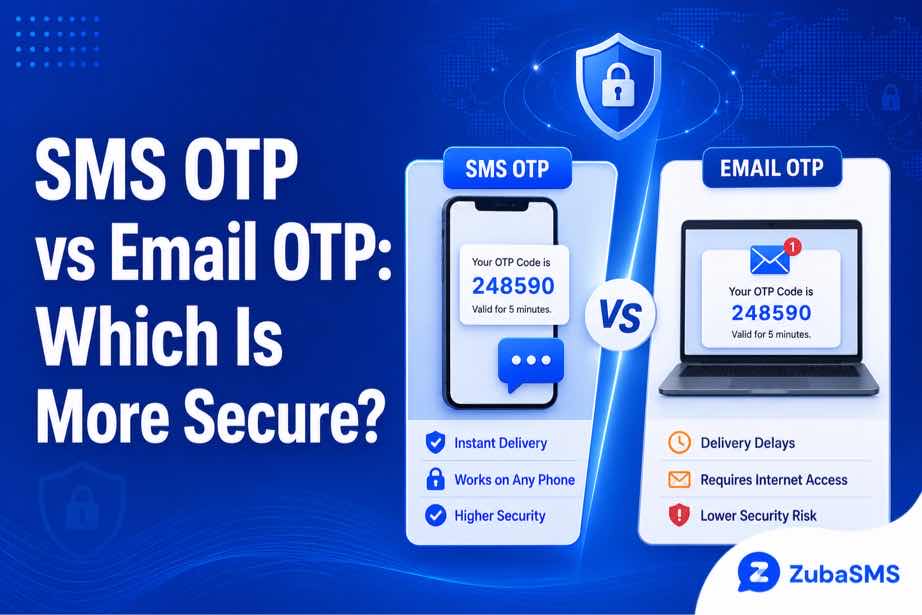
SMS OTP vs Email OTP: Which Is More Secure?
SMS OTP vs Email OTP: Which Is More Secure?
Online account verification has become an important part of digital security. Whether you are creating a new account, signing in from a new device, resetting a password, or confirming an important action, many online platforms use one-time passwords to verify that the person making the request has access to an authorized contact method.
Two of the most common verification methods are SMS OTP and Email OTP. Both are designed to provide an additional layer of security, but they work in different ways and come with different advantages and risks.
This makes the question of SMS OTP vs Email OTP especially important for anyone who wants to understand how online verification works.
So, which one is more secure?
The answer is not always straightforward. The security of an OTP depends on the strength of the system delivering it, the security of the phone number or email account receiving it, and how carefully the user protects the verification code.
In this guide, we will compare SMS OTP and Email OTP, explain how each method works, examine their security risks, and look at the situations where one may be more convenient than the other.
Table of Contents
- What Is an OTP?
- How Does OTP Verification Work?
- What Is SMS OTP?
- What Is Email OTP?
- SMS OTP vs Email OTP: Quick Comparison
- Advantages of SMS OTP
- Disadvantages of SMS OTP
- Advantages of Email OTP
- Disadvantages of Email OTP
- SMS OTP Security Risks
- Email OTP Security Risks
- Which Is More Secure?
- Which Is More Reliable?
- How to Make OTP Verification Safer
- Continue Reading
What Is an OTP?
OTP stands for One-Time Password. It is a temporary verification code generated for a specific security action.
Unlike a normal password, an OTP is usually designed to remain valid for only a limited period or a specific verification attempt.
Depending on the service, an OTP may contain several digits and can be delivered through different channels, including:
- SMS
- Authenticator applications
- Voice calls
- Other supported authentication systems
The main purpose of an OTP is to provide an additional verification step. For example, if a service requires both a password and an OTP, knowing the password alone may not be enough to complete the verification process.
How Does OTP Verification Work?
Although different websites and applications use different security systems, the basic OTP verification process is usually similar.
- You enter your phone number or email address.
- The service generates a temporary verification code.
- The code is delivered through the selected verification method.
- You retrieve the code from your SMS inbox or email inbox.
- You enter the OTP into the official website or application.
- The service checks whether the code is valid.
- If the code is correct and has not expired, verification is completed.
The temporary nature of the code is important. Once an OTP expires or has already been used, it should no longer provide access to the verification process.
What Is SMS OTP?
SMS OTP is a verification code delivered through a mobile network to a registered phone number.
It is one of the most familiar forms of online verification because it does not normally require users to install a separate authentication application.
A typical SMS OTP process looks like this:
- You request verification.
- The platform generates an OTP.
- The code is sent to your registered phone number.
- You receive the SMS.
- You enter the code on the official platform.
- The platform validates the code.
SMS OTP is commonly used for account registration, login verification, password recovery, and confirmation of certain account actions.
What Is Email OTP?
Email OTP uses an email address instead of a mobile number to deliver a temporary verification code.
When you request verification, the service sends an email containing the OTP to the address associated with the account.
The process normally involves:
- Starting the verification process.
- Waiting for the verification email.
- Opening the email and locating the OTP.
- Entering the code on the official website or application.
- Allowing the service to validate the code.
Email OTP can be convenient because email accounts can often be accessed from multiple authorized devices, including smartphones, computers, and tablets.
SMS OTP vs Email OTP: Quick Comparison
| Feature | SMS OTP | Email OTP |
|---|---|---|
| Delivery Method | Mobile network | Email service |
| Internet Required | Not necessarily | Usually required |
| Main Dependency | Phone number and mobile network | Email account and internet access |
| Common Security Risk | SIM swapping and number takeover | Email account compromise and phishing |
| Device Flexibility | Primarily phone-based | Multiple authorized devices |
| Common Delivery Issue | Carrier or network delay | Email filtering or delivery delay |
Advantages of SMS OTP
1. Simple and Familiar
One of the biggest advantages of SMS OTP is its simplicity. Most phone users already understand how to receive and read text messages, so there is very little learning required.
The code can usually be copied or entered directly from the phone's messaging application.
2. Does Not Normally Require Mobile Data
Traditional SMS does not depend on mobile data. If the phone is connected to a supported cellular network, it may still receive an SMS even when mobile internet is unavailable.
This can make SMS OTP useful in situations where internet access is limited but cellular service is available.
3. Widely Supported
SMS verification is supported by a large number of online services. This makes it a familiar option for account registration and verification.
4. Convenient for Mobile Users
For people who regularly have their phones nearby, receiving an OTP through SMS can be quick and convenient.
Disadvantages of SMS OTP
1. SIM-Swap Risks
One of the most widely discussed risks associated with SMS-based authentication is SIM swapping.
In a SIM-swap attack, an unauthorized person attempts to gain control of a mobile number by transferring it to another SIM or device. If the transfer succeeds, SMS messages sent to that number may become accessible to the attacker.
2. Network and Carrier Delays
SMS delivery depends on mobile networks and carrier infrastructure. Temporary congestion, routing issues, or service interruptions can delay a verification message.
This means that an SMS OTP may not always arrive immediately.
3. Losing Access to the Number
If you lose access to the phone number associated with an account, you may also lose access to SMS-based verification and recovery messages.
This is especially important for accounts that require the same number for future security checks.
Advantages of Email OTP
1. Accessible Across Multiple Devices
Email can often be accessed from a smartphone, computer, tablet, or another authorized device.
This can make email OTP convenient for users who do not always have access to the same device.
2. Not Dependent on Cellular Coverage
Email OTP does not require a mobile signal. Instead, it depends on internet access and the availability of the email service.
For users with reliable internet access, this can be a useful alternative to SMS verification.
3. Useful When Changing Phone Numbers
An email address can remain associated with an account even when a user changes their phone or mobile number.
This can make email useful as a long-term account recovery and verification method.
Disadvantages of Email OTP
1. Email Account Security Is Important
Email OTP security depends heavily on the security of the email account receiving the code.
If an attacker gains unauthorized access to the email account, they may potentially be able to read incoming verification codes.
2. Phishing Risks
Email users can also be targeted by phishing attacks. An attacker may create a fake login page designed to collect a password and OTP.
Always make sure you are entering an OTP on the legitimate website or application.
3. Spam and Delivery Problems
Verification emails can sometimes be delayed, filtered, or placed in spam and junk folders.
If an expected OTP does not appear in the main inbox, checking the spam or junk folder may help.
SMS OTP Security Risks
SMS OTP provides an additional security layer, but it should not be considered completely risk-free.
Some potential risks include:
- SIM swapping
- Mobile-number takeover
- Unauthorized changes to a mobile account
- SMS delivery interception in certain circumstances
- Loss of access to the registered number
These risks do not mean that SMS OTP is useless. It can still provide valuable protection for many everyday online services.
However, users should understand that stronger authentication methods may be more appropriate for highly sensitive accounts.
Email OTP Security Risks
Email OTP has a different set of security considerations.
The main risks include:
- Compromised email accounts
- Phishing attacks
- Weak or reused email passwords
- Unauthorized access to email-enabled devices
- Email delivery and filtering problems
Because the email account acts as the gateway to the OTP, protecting that account is an essential part of protecting email-based verification.
Which Is More Secure?
There is no universal answer to the question of whether SMS OTP or Email OTP is more secure.
The security of each method depends heavily on how well the receiving phone number or email account is protected.
SMS OTP can be vulnerable to phone-number-related attacks, while Email OTP can be vulnerable if the email account itself has been compromised.
For highly sensitive accounts, stronger authentication options such as authenticator applications or hardware security keys may provide additional protection where supported.
In the next part, we will look at which method is more reliable, how to improve OTP security, virtual phone numbers for SMS verification, ZubaSMS, funding options, FAQs, and the final conclusion.
Which Is More Reliable?
Security is important, but reliability also matters when choosing an OTP verification method.
An OTP is only useful if you can actually receive it when you need to verify your account.
SMS OTP may be more reliable for users who have strong cellular coverage but limited or inconsistent internet access. Because traditional SMS does not normally require mobile data, it can still work when internet connectivity is unavailable.
Email OTP may be more convenient for users with reliable internet access. Since email can be accessed from multiple authorized devices, it can also be useful when you are not using your primary phone.
However, both methods can experience delays. SMS messages may be affected by carrier routing or network congestion, while emails can be delayed or filtered into spam folders.
For this reason, it is important to avoid repeatedly requesting OTPs when a code has not arrived immediately. Multiple requests can sometimes create confusion because an earlier code may become invalid when a newer code is generated.
How to Make OTP Verification Safer
Whether you use SMS OTP or Email OTP, there are several simple practices that can improve the security of your verification process.
1. Never Share Your OTP
A legitimate service should not need you to disclose a private OTP to another person. Treat verification codes as sensitive information.
If someone asks you to send them an OTP, be cautious, especially if you did not initiate the verification request.
2. Use Strong Account Security
Protect the email account or mobile account connected to your verification process with strong security settings.
For email accounts, use a strong and unique password and enable additional authentication where available.
3. Check the Website Before Entering an OTP
Phishing websites can imitate legitimate login pages and attempt to capture OTP codes.
Before entering a verification code, confirm that you are using the official website or application.
4. Avoid Repeated Verification Requests
If an OTP does not arrive immediately, wait a short while before requesting another one.
Repeated requests can result in multiple codes arriving at different times, which can make it difficult to determine which code is currently valid.
5. Keep Your Devices Secure
Your phone and computer can provide access to messages and email accounts containing verification codes.
Use device security features such as screen locks, strong passwords, and current software updates to reduce unauthorized access.
6. Use Stronger Authentication for Sensitive Accounts
SMS and email OTPs can be useful, but they are not the only authentication options available.
For accounts containing highly sensitive information, consider stronger methods such as authenticator applications or hardware security keys when the service supports them.
Can Virtual Phone Numbers Receive SMS OTPs?
Some virtual phone numbers can receive incoming SMS messages and may be suitable for legitimate services that allow virtual numbers to be used for verification.
A virtual phone number works through an online communication system rather than requiring a physical SIM card in the user's device.
Depending on the provider and number type, a virtual number may be useful for:
- Supported SMS verification
- Business communication
- Privacy-conscious communication
- Online registrations where virtual numbers are permitted
- Separating personal and business communications
However, not every website or application accepts virtual phone numbers. Some platforms restrict certain number types, including VoIP, temporary, shared, or previously used numbers.
Therefore, receiving SMS successfully does not automatically mean that a particular platform will accept the number for verification.
Temporary vs Rental Virtual Phone Numbers
If you decide to use a virtual phone number for a supported SMS workflow, it is important to understand the difference between temporary and rental numbers.
| Feature | Temporary Number | Rental Number |
|---|---|---|
| Access Period | Usually shorter | Usually longer |
| Best For | Short-term needs | Ongoing communication or verification needs |
| Number Continuity | Limited | Generally better |
| Main Consideration | Expiration | Rental duration and renewal |
A temporary number may be suitable for a short-term task where continued access is not required.
A rental number may be more appropriate when you need access to the same number for a longer period.
For important accounts, always consider whether you may need the number again for future account recovery or security checks.
Using ZubaSMS
ZubaSMS provides virtual phone numbers for supported SMS reception and legitimate online communication and verification needs, depending on availability and platform compatibility.
When selecting a virtual number, it is useful to consider several factors before making a decision.
- Country availability: Choose from countries supported by the service.
- Number type: Check whether the number is temporary or rental.
- SMS reception: Confirm that the number supports incoming SMS.
- Access duration: Consider how long you need access to the number.
- Privacy: Consider whether separating your personal number from online communication is useful for your situation.
Keep in mind that individual websites and applications determine whether they accept virtual numbers for verification. A number's ability to receive SMS does not guarantee acceptance by every platform.
Explore ZubaSMS virtual numbers
Funding Options
| Location | Funding Method |
|---|---|
| Nigeria | Bank Transfer |
| Ghana | Mobile Money |
| Kenya | M-Pesa |
| International | USDT |
Payment methods and availability may change, so check the provider's current funding options before making a purchase.
Frequently Asked Questions
Is SMS OTP safer than Email OTP?
Neither method is universally safer. SMS OTP has security risks involving mobile numbers and SIM swapping, while Email OTP depends heavily on the security of the email account receiving the code.
Can SMS OTP be hacked?
SMS-based authentication has known weaknesses. For example, attackers may attempt to take control of a mobile number through SIM-swap attacks. This is one reason stronger authentication methods can be preferable for highly sensitive accounts.
Can someone access my Email OTP?
If someone gains unauthorized access to your email account or an authorized device, they may potentially be able to read OTP messages sent to that account.
Which OTP method is faster?
Both SMS and email OTPs can arrive quickly, but delivery times vary. SMS can be affected by mobile-network conditions, while email can be affected by mail-server delays, filtering, or spam detection.
Why am I not receiving my OTP?
Possible causes include network problems, incorrect contact information, delivery delays, spam filtering, expired codes, or temporary restrictions caused by repeated verification attempts.
Can I request another OTP if the first one does not arrive?
Most services allow users to request another code, but it is usually better to wait briefly before requesting a new one. Requesting multiple codes too quickly can create confusion or trigger temporary restrictions.
Can virtual phone numbers receive SMS OTPs?
Some virtual phone numbers support incoming SMS, but individual platforms decide whether virtual numbers are accepted for their verification processes.
What is more secure than SMS and Email OTP?
Where available, authenticator applications and hardware security keys can provide stronger protection than SMS or email OTP alone.
Should I share an OTP with customer support?
Be extremely cautious with OTPs. Do not disclose private verification codes to unsolicited callers, messages, or suspicious individuals. If you need help, use the service's official support channels.
Conclusion
The comparison between SMS OTP vs Email OTP does not have a single answer that applies to everyone.
SMS OTP is simple, familiar, widely supported, and does not normally require mobile internet. However, it can be affected by network delays and mobile-number security risks such as SIM swapping.
Email OTP is accessible across multiple devices and does not depend on cellular coverage, but its security depends heavily on protecting the email account from unauthorized access and phishing attacks.
For everyday online verification, either method can provide a useful additional security layer when properly implemented and protected.
For highly sensitive accounts, however, stronger authentication methods should be considered whenever they are available.
Ultimately, the safest verification method is one that you can securely control, access when needed, and protect against unauthorized use.
Whether you choose SMS or email OTP, never share your verification codes, stay alert to phishing attempts, and make sure you are completing verification only through legitimate services.