
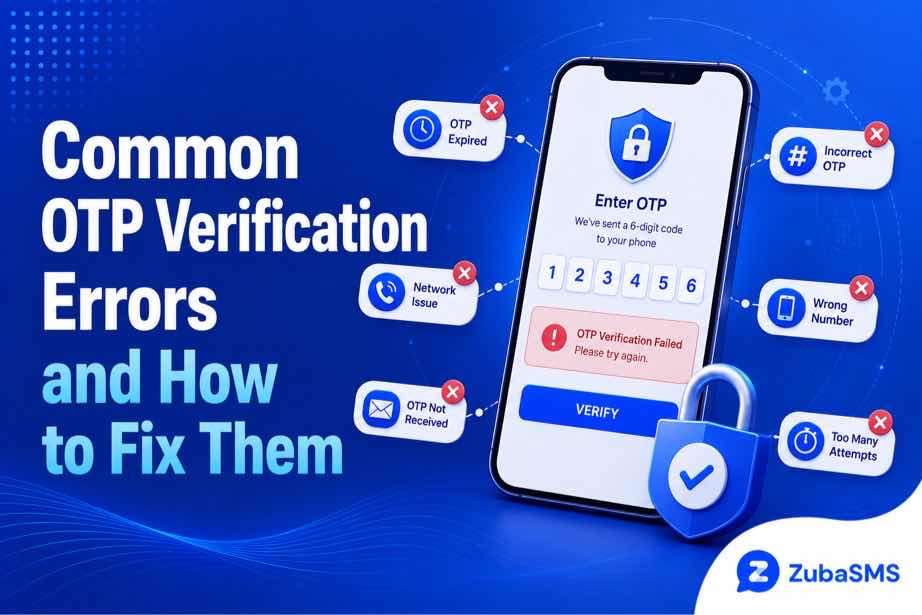
Common OTP Verification Errors and How to Fix Them
Common OTP Verification Errors and How to Fix Them
One-time passwords, commonly called OTPs, are widely used to confirm account ownership, authorize actions, and add an extra layer of security to online services.
However, OTP verification errors can be frustrating. A code may arrive late, expire before you enter it, be rejected even when it appears correct, or fail to arrive at all.
Fortunately, most OTP problems have straightforward causes. Understanding the type of error you are seeing can help you identify the appropriate solution without repeatedly requesting new codes.
This guide explains the most common OTP verification errors, what causes them, and how to troubleshoot them safely.
Table of Contents
- What Is an OTP?
- What Are OTP Verification Errors?
- Expired OTP Codes
- Incorrect OTP Codes
- OTP Delivery Delays
- OTP Not Received
- Multiple OTP Requests
- Network and Connectivity Problems
- Device Time and OTP Problems
- Basic OTP Troubleshooting
- OTP Security Best Practices
- Conclusion
What Is an OTP?
An OTP is a temporary security code generated for a specific verification or authorization request.
Depending on the service, an OTP may be delivered through:
- SMS
- Authentication applications
- Voice calls
- Other supported security methods
OTP codes are usually designed to be used only once and may remain valid for a limited period.
What Are OTP Verification Errors?
An OTP verification error occurs when a service cannot validate the code or complete the verification process.
Common messages include:
- Invalid OTP
- Incorrect verification code
- OTP expired
- Code not received
- Too many attempts
- Verification temporarily unavailable
The exact wording varies between websites and applications, but the underlying causes are often similar.
1. Expired OTP Codes
One of the most common OTP verification errors occurs when the code is entered after its validity period has ended.
OTP codes are intentionally short-lived to reduce the risk of unauthorized use.
An expired OTP may happen when:
- The message arrives late.
- You wait too long before entering the code.
- You request several codes and continue using an older one.
How to fix it:
- Request a new OTP.
- Wait for the newest code to arrive.
- Enter the latest code promptly.
- Do not continue using an older code after requesting a replacement.
2. Incorrect OTP Codes
An OTP can be rejected if one or more digits are entered incorrectly.
Common causes include:
- Typing the wrong digit
- Confusing similar numbers
- Entering an older code
- Copying extra spaces when using copy and paste
How to fix it:
Check the code carefully and make sure you are entering the most recently issued OTP. If it continues to fail, request a new code rather than repeatedly entering the same rejected code.
3. OTP Delivery Delays
Sometimes the verification system successfully generates an OTP, but the message takes longer than expected to arrive.
Possible causes include:
- Mobile network congestion
- Carrier routing delays
- Provider-side delays
- Temporary service issues
How to fix it:
Wait briefly before requesting another code. Repeatedly requesting OTPs can sometimes create multiple active codes or trigger temporary limits.
4. OTP Not Received
If an OTP never arrives, first check whether the contact information on the account is correct.
For SMS-based verification, check:
- Phone number formatting
- Country code
- Mobile network signal
- Message blocking or filtering
- Whether the phone can receive other SMS messages
For email OTPs, check the spam, junk, and filtered folders if appropriate.
Always make sure the destination belongs to you and that you have authorized access to it.
5. Multiple OTP Requests
Requesting several OTPs within a short period can make verification more confusing.
For example, you may receive an earlier code after a newer code has already been generated. The older code may no longer be valid.
Some services may also temporarily limit verification attempts after repeated requests.
How to fix it:
- Stop requesting new codes for a moment.
- Use the newest valid code.
- Wait for any temporary cooldown to finish.
- Try again once the service allows another attempt.
6. Network and Connectivity Problems
OTP verification can also be affected by connectivity problems on your device or the service's infrastructure.
Possible signs include:
- Verification pages failing to load
- Messages arriving inconsistently
- Repeated connection errors
- Verification requests timing out
How to fix it:
Check your internet connection and mobile signal. If the service appears to be experiencing an outage, waiting and trying again later may be the best option.
7. Incorrect Device Time
Some authentication systems rely on time-based codes. If your device clock is significantly out of sync, a valid code may be rejected.
How to fix it:
Enable automatic date and time settings on your device where available. This helps keep your device synchronized with the time used by supported authentication systems.
Basic OTP Troubleshooting
When you encounter OTP verification errors, work through these basic checks:
- Confirm that you are using the correct phone number or email address.
- Check your network connection.
- Wait briefly if the code is delayed.
- Use the newest OTP rather than an older code.
- Check whether the code has expired.
- Avoid repeated rapid verification attempts.
- Request a new code if the current one is invalid.
- Contact the service's official support team if the problem continues.
OTP Security Best Practices
OTP codes are security credentials, so treat them carefully.
- Never share an OTP with another person.
- Do not post verification codes publicly.
- Do not enter an OTP on a suspicious website.
- Use the official website or application when completing verification.
- Be cautious if someone unexpectedly asks you to read a code to them.
- Use additional account-security features where available.
If you receive an unexpected OTP, do not automatically assume that you need to use it. It may indicate that someone is attempting to access an account associated with your contact information.
Other Common Causes of OTP Verification Errors
Not every OTP problem is caused by the code itself. The verification system may reject a request for other reasons.
Unsupported Number or Contact Method
Some services support only certain phone-number types, countries, carriers, or verification methods.
If a service states that a particular number type is unsupported, use an eligible contact method that complies with the service's requirements rather than repeatedly attempting verification.
Temporary Service Restrictions
A service may temporarily restrict verification after unusual activity, repeated failed attempts, or other security triggers.
In this situation, waiting for the service's stated cooldown period and following its recovery instructions is generally more effective than repeatedly requesting codes.
Incorrect Account Information
If the phone number or email address associated with an account is outdated or incorrect, OTP delivery may fail even when the verification system is working normally.
Check the account's contact information and update it through the service's official account settings when possible.
When Should You Contact Customer Support?
If basic troubleshooting does not resolve the problem, contacting the service's official support team may be the best next step.
Support can help determine whether the problem is related to:
- Account restrictions
- Verification limits
- Delivery problems
- Incorrect account information
- Temporary service outages
Use the official support channel rather than relying on unofficial individuals who claim they can bypass the verification process.
Using Virtual Numbers for OTP Messages
Some virtual phone numbers support incoming SMS, but acceptance and reliability vary between services.
If you are considering a virtual number for a legitimate communication or verification purpose, check:
- Whether incoming SMS is supported
- Whether the number is private or shared
- How long the number remains active
- Whether the relevant service permits virtual numbers
- What happens when the number expires
Never use a public or shared inbox for sensitive verification codes. For important accounts, a phone number that you can reliably control over the long term is generally a safer choice.
Using ZubaSMS
ZubaSMS provides temporary and rental virtual phone numbers across multiple countries for supported SMS reception, privacy-conscious communication, online registrations where permitted, and business use.
When evaluating a virtual number for an eligible OTP workflow, consider:
- Country availability
- Number type
- SMS reception
- Access duration
- Privacy
- Current pricing
Remember that each online service independently determines which phone-number types it accepts.
Explore ZubaSMS virtual numbers
Funding Options
| Location | Funding Method |
|---|---|
| Nigeria | Bank Transfer |
| Ghana | Mobile Money |
| Kenya | M-Pesa |
| International | USDT |
Payment methods and availability may change, so check the provider's latest funding options before making a purchase.
Frequently Asked Questions
Why is my OTP not working?
The code may have expired, been entered incorrectly, been replaced by a newer OTP, or been affected by a temporary verification restriction.
Why am I not receiving my OTP?
Possible causes include incorrect contact information, network or carrier delays, message filtering, or temporary problems with the service.
What should I do if my OTP has expired?
Request a new code and use the latest valid OTP promptly. Avoid repeatedly requesting codes in rapid succession.
Why do I receive several OTP codes?
Multiple requests can generate multiple messages, and delivery delays can cause older codes to arrive after newer ones. Use the most recent valid code according to the service's instructions.
Can I request another OTP immediately?
You can follow the service's normal resend option, but repeated rapid requests may trigger temporary limits. If a resend is delayed, wait before making additional requests.
Are OTP verification errors permanent?
Usually not. Many errors result from expired codes, delivery delays, incorrect entries, or temporary restrictions and can be resolved by following the service's troubleshooting or recovery process.
Is it safe to share an OTP with customer support?
Do not share OTPs unless the service's official security process explicitly requires an action that you understand and trust. Legitimate support representatives generally should not need you to disclose a private verification code.
Having OTP Problems?
Start with the basics: check your contact information, wait for delayed messages, use the newest code, avoid repeated attempts, and follow the service's official recovery instructions.
Conclusion
OTP verification errors can happen for many reasons, but most are related to expired codes, incorrect entries, delivery delays, network problems, repeated requests, or temporary security restrictions.
The best approach is to identify the specific error instead of repeatedly requesting new codes. Check your contact information, use the latest OTP, maintain a reliable connection, and allow temporary restrictions to clear when necessary.
For account security, always protect your OTPs and use official verification and recovery channels. If a service does not accept a particular number or verification method, follow its stated requirements rather than attempting to bypass its safeguards.
With careful troubleshooting and good security habits, most OTP verification errors can be resolved without unnecessary delays or repeated failed attempts.