
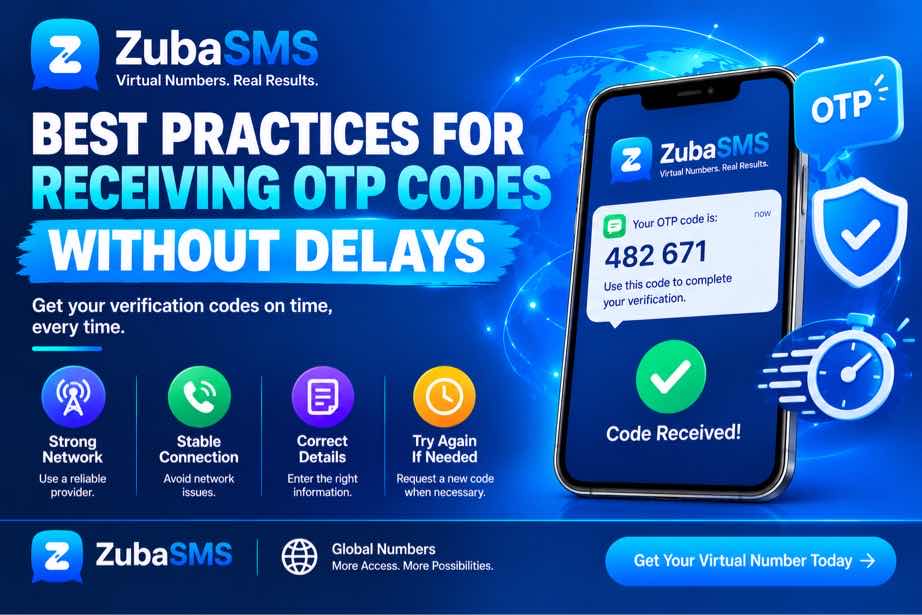
Best Practices for Receiving OTP Codes Without Delays
Best Practices for Receiving OTP Codes Without Delays
One-time passwords, commonly called OTP codes, are an important part of modern online security. Websites, applications, and digital services often use OTPs to confirm a phone number, verify access, or complete a security process.
Although OTP messages are usually delivered quickly, delays can sometimes occur. Network congestion, incorrect phone numbers, poor signal, carrier issues, SMS settings, expired codes, and platform restrictions can all affect delivery.
If you want to receive OTP codes without unnecessary delays, understanding the common causes of delivery problems can make the verification process much easier.
This guide explains practical ways to improve OTP delivery, what to check when a code does not arrive, and how to use virtual numbers responsibly for supported verification purposes.
Table of Contents
- What Is an OTP Code?
- How OTP Delivery Works
- Why OTP Codes Can Be Delayed
- Check Your Phone Number
- Use the Correct Country Code
- Check Your Mobile Network
- Keep Your Phone Ready to Receive SMS
- Avoid Requesting Multiple OTP Codes
- Check Your SMS Inbox
- Virtual Numbers and OTP Codes
What Is an OTP Code?
An OTP is a temporary verification code generated by an online service. It is normally sent through SMS, email, an authentication application, or another supported communication channel.
When SMS verification is used, the service sends the code to the phone number associated with the verification request.
For example, the process may look like this:
- You enter your phone number.
- The service generates an OTP.
- The OTP is sent to your phone number.
- You receive the message.
- You enter the code.
- The service verifies the code.
Because OTPs are normally temporary, receiving the message promptly is important.
How OTP Delivery Works
OTP delivery involves several systems working together.
First, the website or application generates a verification code. The code is then passed to an SMS delivery provider or communication network. From there, the message is routed through telecommunications infrastructure until it reaches the destination number.
Each stage can potentially introduce a delay.
Factors such as network congestion, carrier routing, international SMS traffic, provider infrastructure, or temporary technical problems can affect how quickly an OTP arrives.
This means that even when your phone and number are working correctly, an OTP can occasionally take longer than expected.
Why OTP Codes Can Be Delayed
There are several reasons why users may not immediately receive OTP codes.
1. Incorrect Phone Number
A single incorrect digit can prevent an OTP from reaching you.
2. Wrong Country Code
If the country code does not match the phone number, the verification message may be routed incorrectly.
3. Weak Network Signal
Poor mobile coverage can interfere with normal SMS reception.
4. Carrier Delays
Mobile carriers can sometimes experience temporary congestion or routing delays.
5. Too Many Requests
Requesting several OTPs in a short period can result in temporary restrictions or delayed delivery.
6. Expired OTP
If a code takes too long to arrive, it may no longer be valid by the time you receive it.
7. Platform Restrictions
Some services apply restrictions to particular phone number types, including certain virtual or VoIP numbers.
Check Your Phone Number
The first step to receive OTP codes successfully is making sure that the phone number you entered is correct.
Before requesting a code, carefully check:
- Every digit of the phone number
- The selected country
- The international country code
- Whether the number is still active
- Whether the number can receive SMS messages
Do not assume that a small formatting error will be corrected automatically. Some services require the number to be entered in a specific format.
Use the Correct Country Code
International phone numbers normally require the correct country code.
For example:
- Nigeria: +234
- United States: +1
- United Kingdom: +44
- Canada: +1
- Ghana: +233
- Kenya: +254
Always select the country that matches your phone number and follow the format requested by the platform.
Using the correct country and number format can prevent routing errors and unnecessary verification failures.
Check Your Mobile Network
Your mobile network can affect how quickly you receive SMS messages.
If your phone has weak or unstable coverage, try moving to an area with a stronger signal.
You can also:
- Check your network signal.
- Make sure airplane mode is turned off.
- Restart your phone if SMS services appear to be malfunctioning.
- Check whether your carrier is experiencing an outage.
- Wait briefly before requesting another OTP.
In many cases, a short delivery delay is temporary and resolves without additional action.
Keep Your Phone Ready to Receive SMS
Simple device settings can sometimes affect how quickly you notice an incoming OTP.
Make sure your messaging application is working normally and that your phone has enough storage for new messages.
Also check whether SMS notifications have been disabled. A message may have arrived successfully even if you did not immediately see a notification.
Keeping your phone connected to the mobile network and checking the SMS inbox directly can help you identify whether the problem is delivery or notification-related.
Avoid Requesting Multiple OTP Codes
One of the most important practices is avoiding repeated OTP requests within a short period.
When a code does not arrive immediately, requesting another one over and over may make the situation worse.
Multiple requests can lead to:
- Temporary verification restrictions
- Delayed messages
- Multiple codes arriving at different times
- Confusion about which OTP is currently valid
If you have already requested a code, wait a reasonable amount of time before trying again.
Check Your SMS Inbox
Sometimes an OTP has already arrived but is easy to miss among other messages.
Check your SMS inbox carefully and look for messages from the relevant service or messaging provider.
If you receive multiple OTPs, use the most recent valid code unless the service specifically instructs you otherwise.
Never share an OTP with another person. Verification codes are intended to remain private.
Virtual Numbers and OTP Codes
Some users choose a virtual phone number when they want to keep their personal number separate from supported online services.
A virtual number can receive SMS through internet-based communication infrastructure rather than through a traditional SIM card in the user's phone.
Depending on the provider, a virtual number may support incoming SMS and can therefore be used to receive OTP codes from services that support that type of number.
However, virtual numbers are not universally accepted. Some platforms may restrict temporary, shared, VoIP, or previously used numbers.
For this reason, always check platform compatibility before relying on a virtual number for an important verification process.
Choose the Right Number for OTP Verification
If you need to receive OTP codes through a virtual number, choosing the right number type is important.
Before selecting a number, consider:
- Whether the number supports incoming SMS
- Whether the required country is available
- Whether the number is temporary or rental
- How long you will have access to the number
- Whether the intended platform accepts virtual numbers
- Whether the number is private or shared
A suitable number can reduce compatibility problems, but no provider can guarantee that every third-party platform will accept a particular virtual number.
Temporary vs Rental Numbers for Receiving OTP Codes
| Feature | Temporary Number | Rental Number |
|---|---|---|
| Access Duration | Short-term | Longer-term |
| Best For | Short verification tasks | Ongoing access |
| Number Continuity | Limited | Better continuity |
| Future OTP Access | May not be available after expiration | More suitable for continued access |
| Main Consideration | Expiration | Renewal and duration |
A temporary number may be suitable when you only need to complete a short-term verification process. If you expect to need additional OTPs later, a longer-term option may be more practical.
What to Do When You Do Not Receive an OTP
If an OTP has not arrived, avoid immediately requesting several more codes. Instead, troubleshoot the issue systematically.
- Confirm that the phone number is correct.
- Check the country code.
- Make sure your phone or virtual number is active.
- Confirm that SMS reception is supported.
- Check your SMS inbox.
- Check your network connection.
- Wait a few minutes for possible delivery delays.
- Request a new code only when appropriate.
- Check whether the platform supports your number type.
This approach can help distinguish a temporary delivery problem from a compatibility or account restriction.
Check Your SMS Settings
When trying to receive OTP codes, make sure your messaging application is functioning normally.
Check that:
- SMS notifications are enabled.
- Your inbox is not full.
- Your device has a working mobile connection.
- Messages from unknown senders are not being automatically filtered.
- Your messaging application is operating normally.
If the SMS has already arrived but no notification appeared, checking the inbox directly may reveal the verification message.
How Network Conditions Affect OTP Delivery
OTP messages depend on telecommunications networks and routing systems. Temporary congestion can sometimes cause messages to arrive later than expected.
International SMS delivery can also involve additional routing between networks and providers.
If your phone has a weak signal, moving to an area with better coverage may help. When the issue is caused by carrier or provider congestion, waiting may be the only practical solution.
It is also important to remember that the delay may occur before the message reaches your phone. Restarting your device cannot always fix a problem occurring elsewhere in the delivery process.
Why Multiple OTP Requests Can Cause Problems
Requesting a new code repeatedly can create confusion because several messages may eventually arrive.
Some services may also temporarily restrict verification requests after detecting too many attempts.
If multiple codes arrive, an older code may no longer be valid. Follow the instructions provided by the service and use the currently valid code.
The safest approach is to wait for a reasonable period before requesting another OTP instead of repeatedly pressing the resend button.
Security Tips When Receiving OTP Codes
OTP codes are security credentials and should always be treated as private information.
- Never share your OTP with another person.
- Do not send OTP screenshots to strangers.
- Do not enter a verification code into an unexpected website.
- Be careful with messages asking you to reveal a code.
- Use trusted devices and secure accounts.
- Enable additional security features when available.
A legitimate service should not require you to disclose your private OTP to another person who is not part of the verification process.
Privacy Considerations for Virtual Numbers
A virtual number can help separate your personal phone number from supported online services.
However, privacy depends on the type of virtual number and the provider's systems.
Before using a number, find out whether it is:
- Private or shared
- Temporary or long-term
- Accessible for future messages
- Intended for SMS reception
Shared numbers require particular care because messages received on them may not provide the same level of privacy or continuity as a dedicated number.
Can You Receive OTP Codes on a Virtual Number?
Yes, some virtual numbers can receive OTP codes through SMS when the provider supports incoming messages and the relevant platform accepts that number type.
However, successful SMS reception and successful verification are separate things.
A virtual number may receive ordinary SMS messages but still be rejected by a particular website or application. Platforms can apply their own policies to virtual, VoIP, temporary, shared, or previously used numbers.
Always check compatibility before depending on a virtual number for an important verification process.
Frequently Asked Questions
How can I receive OTP codes faster?
Use the correct phone number and country code, maintain a reliable network connection, keep your SMS inbox working properly, and avoid repeatedly requesting new codes.
Why is my OTP taking so long to arrive?
Possible causes include carrier congestion, network problems, international SMS routing delays, platform issues, or restrictions affecting the number.
What should I do if my OTP does not arrive?
Check your number, network, SMS inbox, and number status. Wait briefly before requesting another code and confirm that the platform supports your number type.
Can a virtual number receive OTP codes?
Many virtual numbers support incoming SMS, but whether they can receive and successfully use a specific OTP depends on the provider and the platform sending the code.
Why do I receive an expired OTP?
An OTP may expire because of delivery delays or because too much time passed before the code was entered. Request a new code when necessary.
Should I request another OTP if the first one is delayed?
It is usually better to wait for a reasonable period before requesting another code. Repeated requests can result in multiple codes or temporary verification restrictions.
Can I use a temporary number for OTP verification?
A temporary number can be suitable for supported short-term verification needs, but it may not be appropriate when you need continued access to the same number.
Are OTP codes safe to share?
No. OTP codes should be kept private because they are designed to verify access to an account or communication channel.
Funding Options
| Location | Funding Method |
|---|---|
| Nigeria | Bank Transfer |
| Ghana | Mobile Money |
| Kenya | M-Pesa |
| International | USDT |
Using ZubaSMS to Receive OTP Codes
ZubaSMS provides virtual phone numbers for supported SMS reception and legitimate communication and verification needs, depending on availability and platform compatibility.
If you need to receive OTP codes without using your personal number, you can check the available virtual number options and choose one that matches your requirements.
Before selecting a number, consider:
- Country availability
- SMS reception support
- Number type
- Access duration
- Privacy requirements
- Compatibility with the intended service
Availability and supported services can vary, and third-party platforms independently decide whether to accept virtual numbers for verification.
Visit ZubaSMS to receive OTP codes with a virtual number
Conclusion
Knowing how to receive OTP codes without unnecessary delays can make online verification much easier.
Start by checking the phone number and country code, then make sure your device has a reliable network connection and your SMS service is functioning normally. Avoid repeatedly requesting codes, as this can create additional delays or temporary restrictions.
Virtual numbers can also be useful for supported verification and communication needs, particularly when you want to keep your personal number separate. However, not every platform accepts every type of virtual number.
For the best results, choose a suitable number, understand its access period, check platform compatibility, and always keep your OTP codes private.
With these practices, you can reduce common SMS delivery problems and improve your chances of receiving valid OTP codes promptly when the relevant service supports the process.