
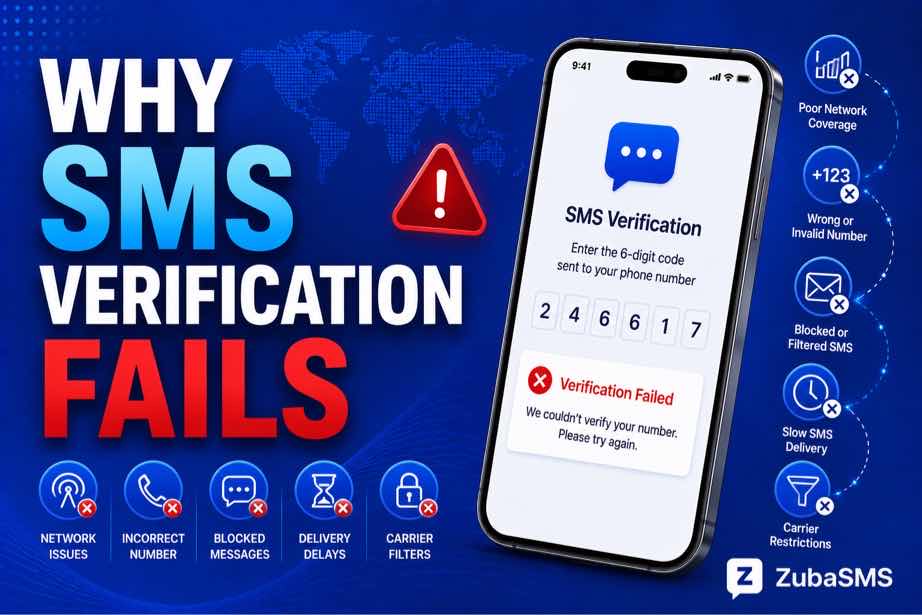
Why SMS Verification Fails: Common Causes and Proven Fixes
Why SMS Verification Fails
SMS verification has become one of the most widely used security methods for online accounts. Whether you're creating a new account, logging into an existing one, recovering a password, or confirming your identity, receiving a one-time password (OTP) by SMS is often the first step.
However, there are times when the verification process doesn't go as expected. The verification message may never arrive, the code may expire, or the platform may reject the phone number altogether. These situations can delay account creation and prevent access to important online services.
Understanding why SMS verification failed occurs can help you identify the problem quickly and apply the correct solution without unnecessary frustration.
Table of Contents
- What Is SMS Verification?
- How SMS Verification Works
- Common Reasons SMS Verification Fails
- Phone Number Formatting Errors
- Network and Carrier Problems
- Virtual Number Limitations
- Temporary vs Rental Numbers
- Platform Security Restrictions
- OTP Expiration
- How to Troubleshoot SMS Verification Problems
- Security Best Practices
- Using ZubaSMS
- Frequently Asked Questions
- Conclusion
What Is SMS Verification?
SMS verification is a security process where an online platform sends a temporary verification code to a phone number to confirm that the person registering or accessing the account actually controls that number.
Once the code is received, it must be entered into the website or application before the verification process is completed.
This simple step helps reduce fake registrations, improves account security, and supports identity verification.
How SMS Verification Works
Most services follow a similar verification process:
- The user enters a phone number.
- The platform generates a one-time verification code (OTP).
- The code is sent through SMS.
- The user receives the SMS.
- The code is entered into the application.
- The platform validates the code.
- The verification process is completed.
If any part of this sequence fails, the platform may display an error indicating that SMS verification has failed.
Common Reasons SMS Verification Fails
Several different factors can prevent SMS verification from succeeding.
1. Incorrect Phone Number
A single incorrect digit is enough to prevent the verification message from reaching its destination.
Always double-check the number before requesting a verification code.
2. Incorrect Country Code
Selecting the wrong country or international dialing code may cause the verification request to fail immediately.
Examples include:
- Nigeria (+234)
- United States (+1)
- United Kingdom (+44)
- Ireland (+353)
- Ukraine (+380)
Always choose the country that matches the phone number.
3. SMS Delivery Delays
Although verification messages are usually delivered within seconds, delays may happen because of:
- Carrier routing delays
- Network congestion
- Provider infrastructure
- Temporary sender-side issues
A delayed message doesn't necessarily mean the verification process has permanently failed.
Phone Number Formatting Errors
Formatting mistakes are one of the easiest verification problems to avoid.
Before requesting another verification code:
- Verify every digit.
- Select the correct country.
- Use the proper international format.
- Avoid adding unnecessary symbols or spaces if the platform doesn't require them.
Using the correct format significantly improves successful SMS delivery.
Network and Carrier Problems
Sometimes the issue isn't the phone number itself but the mobile network.
Possible causes include:
- Poor mobile signal
- Temporary carrier outages
- Roaming limitations
- International routing problems
Waiting a few minutes before requesting another code is often better than repeatedly requesting new verification messages.
Virtual Number Limitations
Virtual phone numbers are widely used for online communication, but not every platform accepts every type of virtual number.
Some services may restrict:
- VoIP numbers
- Temporary numbers
- Shared numbers
- Previously abused numbers
A virtual number may successfully receive SMS while still being rejected by the platform performing the verification.
Compatibility is determined by the service requesting verification rather than the SMS provider.
Temporary vs Rental Numbers
| Feature | Temporary Number | Rental Number |
|---|---|---|
| Access Period | Short-term | Longer-term |
| Best For | One-time verification | Ongoing use |
| Renewal | Usually unavailable | Often supported |
If you expect to receive future verification messages, a rental number generally offers better continuity than a temporary one.
Platform Security Restrictions
Many online platforms use automated security systems to detect suspicious verification requests.
Verification may fail if:
- The phone number has previously been abused.
- The number type is restricted.
- The platform detects unusual verification activity.
- Too many verification attempts have been made.
- The service blocks certain virtual or VoIP numbers.
These restrictions are controlled entirely by the platform performing the verification.
OTP Expiration
Verification codes are intentionally short-lived.
If you wait too long before entering the OTP, it may expire and become invalid.
When this happens, request a fresh verification code and use only the newest one received.
How to Troubleshoot SMS Verification Problems
If your SMS verification failed, try the following troubleshooting steps before requesting another code.
- Verify the phone number is correct.
- Confirm the correct country code.
- Check that the phone number is active.
- Confirm SMS reception is supported.
- Check your mobile signal or provider dashboard.
- Wait a few minutes if delivery appears delayed.
- Avoid requesting multiple verification codes repeatedly.
- Use only the newest verification code.
- Check whether the number has expired.
- Follow any waiting period displayed by the platform.
These steps solve many verification problems without requiring customer support.
Security Best Practices
Keep Verification Codes Private
Never share OTPs or SMS verification codes with another person.
Use Dedicated Numbers for Important Accounts
Private or dedicated numbers generally provide better privacy than shared public numbers.
Avoid Public SMS Inboxes
Public SMS services may expose incoming verification messages to multiple users and are not recommended for important accounts.
Enable Additional Security
Where available, enable two-step verification or multi-factor authentication after completing registration.
Maintain Long-Term Access
If you intend to keep an account for a long time, use a phone number that you can continue accessing in the future.
Using ZubaSMS
ZubaSMS offers virtual phone numbers across multiple countries for supported SMS verification and communication needs, depending on current availability.
Before selecting a number, review:
- Country availability
- Incoming SMS support
- Privacy options
- Temporary or rental duration
- Current inventory
Because every online platform applies its own verification policies, no provider can guarantee that every virtual number will be accepted.
Funding Options
ZubaSMS supports multiple payment methods depending on your location.
| Location | Funding Method |
|---|---|
| Nigeria | Bank Transfer |
| Ghana | Mobile Money |
| Kenya | M-Pesa |
| International | USDT |
Available payment methods may change over time, so review the latest funding options before making a purchase.
Frequently Asked Questions
Why does SMS verification fail?
Common causes include incorrect phone numbers, formatting errors, delivery delays, unsupported number types, expired OTPs, and platform security restrictions.
Can virtual numbers fail SMS verification?
Yes. Some platforms restrict virtual, VoIP, temporary, or shared numbers during verification.
Why am I not receiving my verification code?
The message may be delayed, your carrier may be experiencing issues, your number may not support SMS, or the platform may have temporarily blocked verification requests.
How long are verification codes valid?
Most verification codes expire after a short period. If the code expires, request a new one.
Should I keep requesting new verification codes?
No. Repeated requests may trigger temporary verification restrictions.
Is a rental number better than a temporary number?
Rental numbers are generally better for long-term account access because they remain available for a longer period.
Can I recover my account if my temporary number expires?
It may become more difficult to verify ownership later if you no longer have access to the original phone number.
Need Reliable SMS Verification Numbers?
If you're looking for virtual phone numbers for legitimate SMS verification, OTP delivery, or supported communication services, ZubaSMS offers virtual numbers across multiple countries, subject to availability.
Visit ZubaSMS to get started.
Conclusion
Experiencing an SMS verification failed message does not always mean something is seriously wrong. In many cases, simple issues such as incorrect formatting, delivery delays, expired verification codes, unsupported number types, or temporary platform restrictions are responsible.
By understanding how SMS verification works and following good troubleshooting practices, you can resolve most verification problems quickly. For important accounts, use a reliable phone number, protect your verification codes, and maintain long-term access whenever possible.