
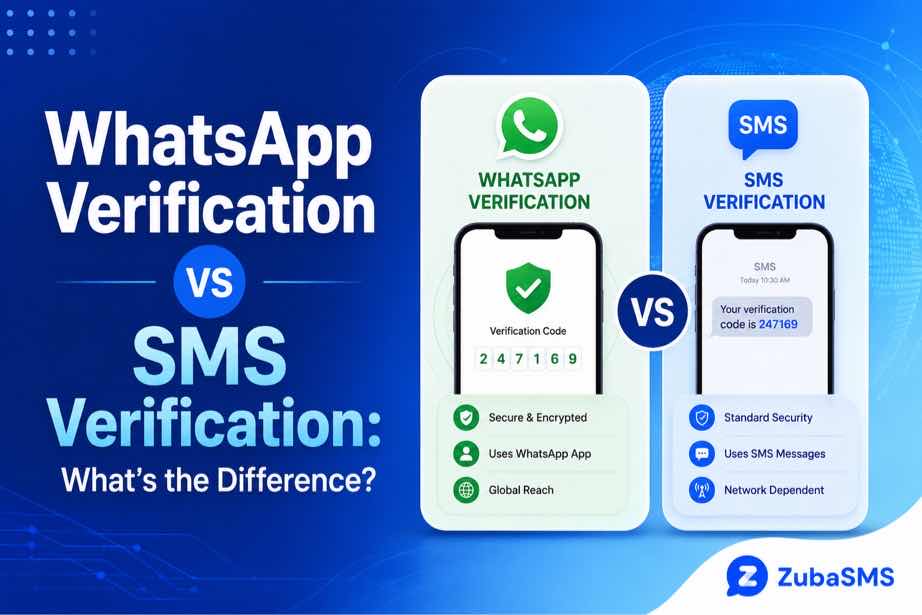
WhatsApp Verification vs SMS Verification: What’s the Difference?
WhatsApp Verification vs SMS Verification: What’s the Difference?
Phone-based verification is now a common part of online account security. Many services use a one-time code to confirm that a user has access to a particular phone number.
Two terms that are often confused are WhatsApp verification and SMS verification.
Although both can involve a verification code and a phone number, they are not exactly the same process. They can use different communication channels, have different requirements, and serve different purposes.
Understanding the difference can help you troubleshoot verification problems and choose the appropriate number for a legitimate account or communication need.
In this guide, we will explain WhatsApp verification vs SMS verification, how each works, their advantages and limitations, and the important security practices to follow.
Table of Contents
- What Is WhatsApp Verification?
- What Is SMS Verification?
- WhatsApp Verification vs SMS Verification
- How WhatsApp Verification Works
- How SMS Verification Works
- Key Differences Between the Two
- Verification Method
- Purpose
- Number Requirements
- Privacy Considerations
- Common Verification Problems
- Temporary and Virtual Numbers
- Security Best Practices
- Using ZubaSMS
- Continue Reading
What Is WhatsApp Verification?
WhatsApp verification is the process used by WhatsApp to confirm that you have access to the phone number you are registering with the service.
During registration, WhatsApp may send a verification code through an available verification method, such as SMS or a phone call, depending on the circumstances and the options presented by WhatsApp.
The purpose is to connect the WhatsApp account with a phone number that the user can access.
The verification code is sensitive information and should never be shared with another person.
What Is SMS Verification?
SMS verification is a broader authentication method used by websites, applications, financial services, social platforms, and other online services.
In a typical SMS verification process:
- You enter your phone number.
- The service generates a one-time verification code.
- The code is sent to the number by SMS.
- You enter the code into the relevant website or application.
- The service confirms the code and completes verification.
SMS verification can therefore be used for many different types of accounts and services, not only WhatsApp.
WhatsApp Verification vs SMS Verification
| Feature | WhatsApp Verification | SMS Verification |
|---|---|---|
| Primary Purpose | Verify a WhatsApp account | Verify access to a phone number for an online service |
| Platform | Many websites and applications | |
| Typical Code | One-time verification code | One-time verification code |
| Delivery | WhatsApp-supported verification method | SMS message |
| Number Required | Number accepted by WhatsApp | Number supported by the particular service |
| Acceptance | Determined by WhatsApp | Determined by the service sending the SMS |
How WhatsApp Verification Works
When registering a WhatsApp account, the user enters a phone number and selects the appropriate country.
WhatsApp then uses its available verification process to confirm access to that number.
Depending on the options provided by WhatsApp, verification may involve SMS or a phone call.
Once the correct code is entered, the number can be verified and the registration process can continue.
Because WhatsApp controls its own security systems, a phone number that works for another SMS verification service is not necessarily guaranteed to work for WhatsApp.
How SMS Verification Works
SMS verification is generally more universal.
A service sends a one-time password, often called an OTP, directly to the user's phone number through the mobile network.
The user then enters the code into the service that requested it.
SMS verification is commonly used for:
- Account registration
- Login confirmation
- Password recovery
- Two-factor authentication
- Transaction confirmation
- Identity and contact verification
Key Differences Between the Two
1. Verification Method
The biggest difference is the context in which verification takes place.
WhatsApp verification is specifically designed to confirm access to a number for WhatsApp, while SMS verification is a general authentication method used by many online services.
2. Purpose
WhatsApp verification is primarily about registering or confirming a WhatsApp account.
SMS verification can serve many different purposes depending on the platform requesting the code.
3. Number Requirements
Each platform decides which numbers it accepts.
A number that successfully receives SMS from one service may still be rejected by another service because different platforms have different security policies.
4. Privacy Considerations
Both methods involve a phone number, so privacy should be considered.
Using a separate number for supported verification purposes can help reduce the need to expose your primary personal number.
However, a separate number does not automatically provide complete anonymity.
Common Verification Problems
Both WhatsApp verification and SMS verification can experience problems.
Common causes include:
- Incorrect phone number
- Incorrect country code
- Poor network connectivity
- SMS delivery delays
- Expired verification codes
- Too many verification attempts
- Unsupported number types
- Platform security restrictions
If a verification code does not arrive, avoid repeatedly requesting new codes within a short period.
Temporary and Virtual Numbers
Some users choose temporary or virtual numbers when they want to keep their primary number separate from certain online activities.
These numbers can have different access periods and privacy characteristics.
Before using one for verification, consider:
- Whether you can access incoming messages.
- Whether the number is private or shared.
- How long the number remains available.
- Whether you may need the number for future account recovery.
- Whether the platform accepts that type of number.
Platform compatibility should never be assumed simply because a number can receive SMS.
Security Best Practices
Regardless of which verification method you use, protect your authentication information.
- Never share OTP codes with other people.
- Do not enter verification codes into suspicious websites.
- Use official applications and websites.
- Enable additional security features when available.
- Avoid repeated verification attempts.
- Keep access to your registered number secure.
Using ZubaSMS
ZubaSMS provides virtual phone numbers for supported SMS reception and legitimate communication and verification needs, depending on availability and platform compatibility.
Before selecting a number, check:
- Country availability
- SMS reception support
- Temporary or rental options
- Access duration
- Privacy level
- Number type
Remember that each platform independently determines whether it accepts a particular phone number for verification.
Explore ZubaSMS virtual numbers
Continue Reading
In Part 2, we will look more closely at security, privacy, verification reliability, temporary versus rental numbers, common mistakes, frequently asked questions, and the conclusion.
Which Is More Secure: WhatsApp Verification or SMS Verification?
Neither method is automatically secure in every situation. Security depends on how the verification system is designed, how the user protects the account, and whether the phone number and verification code remain under the user's control.
SMS verification is widely used and convenient, but SMS messages can be exposed through certain risks associated with mobile networks, compromised devices, or phone-number takeovers.
WhatsApp verification also relies on confirming access to a phone number. WhatsApp provides additional account-security features, such as two-step verification, that users can enable to add another layer of protection.
The most important rule is simple: never share a verification code with another person.
SMS Verification Security Limitations
SMS is convenient because it works through the mobile network and does not normally require a separate authentication application.
However, SMS-based verification can have limitations.
Potential risks include:
- SIM-swap attacks
- Phone-number takeovers
- Lost or compromised devices
- Delayed SMS delivery
- Mobile network problems
For important accounts, SMS verification should ideally be combined with additional security measures whenever the service provides them.
WhatsApp Verification Security Considerations
WhatsApp verification confirms access to the phone number being registered.
After registration, users should consider enabling additional account protection.
Two-step verification can provide an additional security layer by requiring a separate PIN in supported circumstances.
Users should also be careful about unexpected verification messages. If you did not request a verification code, do not share it with anyone.
Why a Verification Code Should Stay Private
A one-time password is intended for the person completing the verification process.
If another person obtains the code, they may potentially use it in an unauthorized verification attempt, depending on the platform and circumstances.
Scammers may use social engineering to convince users to send them a code.
For example, someone might claim that they accidentally entered your number and ask you to forward the code they received. You should never do this.
Temporary Numbers and Verification
Temporary numbers can receive verification messages for supported services, but they come with an important limitation: access may expire.
This matters because verification is not always a one-time event.
You may later need access to the same number for:
- Account recovery
- Re-registration
- Security checks
- Changing account settings
If the temporary number is no longer available, recovering the account can become more difficult.
Rental Numbers and Long-Term Verification
Rental numbers provide access for a longer period than many temporary numbers.
This can make them more practical when continued access is important.
| Factor | Temporary Number | Rental Number |
|---|---|---|
| Access | Short-term | Longer-term |
| Continuity | Limited | Better |
| Future Verification | Less predictable | More practical |
| Best Use | Supported short-term needs | Ongoing communication |
For important accounts, the ability to retain and access the registered number should be considered before choosing a service.
Common Mistakes During WhatsApp and SMS Verification
Many verification failures are caused by simple mistakes rather than technical problems.
Common examples include:
- Entering an incorrect phone number.
- Selecting the wrong country.
- Using an unsupported number type.
- Requesting multiple codes too quickly.
- Entering an expired code.
- Sharing a verification code with someone else.
- Ignoring the platform's instructions.
- Using unofficial applications or websites.
Double-checking the number and following the platform's official verification process can prevent many of these problems.
How to Troubleshoot a Missing Verification Code
If your verification code does not arrive, start with the basics.
- Confirm that the phone number is correct.
- Check that the correct country is selected.
- Make sure the device has network connectivity.
- Check whether incoming SMS messages are working.
- Wait before requesting another code.
- Use another verification method if the platform officially provides one.
- Follow the service's official troubleshooting instructions.
Avoid repeatedly requesting codes because some platforms may temporarily restrict verification attempts.
Which Verification Method Should You Choose?
For most users, the choice is not really about selecting WhatsApp verification instead of SMS verification. WhatsApp verification is a platform-specific process, while SMS verification is a general method used by many services.
The better question is whether the verification method offered by the service is secure, reliable, and appropriate for the account.
For important accounts, prioritize:
- Reliable access to your registered number
- Additional security features
- Private access to verification messages
- Strong account credentials
- Official verification channels
Using a Virtual Number for Verification
A virtual number can be useful when you want to separate your primary personal number from supported online verification or communication activities.
However, a virtual number should not be selected solely because it is inexpensive.
Before using one, consider:
- Number privacy
- SMS availability
- Access duration
- Number ownership or control
- Future account recovery
- Platform compatibility
Not every virtual number will be accepted by every platform.
Using ZubaSMS
ZubaSMS provides virtual phone numbers for supported SMS reception and legitimate communication and verification needs, depending on availability and platform compatibility.
When choosing a number, check its:
- Country
- Number type
- SMS support
- Access duration
- Privacy level
For important accounts, make sure you understand how long you will have access to the number and whether future access will be possible.
WhatsApp and other online platforms independently determine whether a particular number is accepted for verification.
Explore ZubaSMS virtual numbers
Frequently Asked Questions
What is the difference between WhatsApp verification and SMS verification?
WhatsApp verification is the process WhatsApp uses to confirm access to a phone number for a WhatsApp account. SMS verification is a broader authentication method used by many online services to confirm access to a phone number.
Does WhatsApp verification always use SMS?
Not necessarily. WhatsApp may provide different verification options depending on the circumstances, including SMS or a phone call where available.
Is SMS verification safe?
SMS verification provides useful account protection, but it has limitations. Additional security measures can provide stronger protection for important accounts.
Is WhatsApp verification more secure than SMS verification?
They serve different purposes, so it is not useful to say that one is universally more secure. Security depends on the platform, verification process, account protections, and how the user handles authentication information.
Can I use a virtual number for WhatsApp verification?
A virtual number may work if it meets WhatsApp's requirements and is accepted by the platform. WhatsApp independently determines number eligibility.
Why am I not receiving my WhatsApp verification code?
Possible causes include an incorrect number, incorrect country selection, network problems, SMS delays, unsupported number types, or temporary verification restrictions.
Can I reuse a verification code?
Verification codes are generally one-time codes and are intended for a specific verification attempt. If a code expires or a new code is generated, follow the platform's instructions and use the current valid code.
Should I use a temporary number for an important account?
Think carefully about future access. If the number expires, you may have difficulty completing future verification or recovering the account.
Conclusion
The main difference in WhatsApp verification vs SMS verification is their purpose and context.
WhatsApp verification is specifically used to confirm access to a phone number when registering or securing a WhatsApp account. SMS verification is a general authentication method used across many different websites and applications.
Both methods can be useful, but neither should be treated as a complete security solution on its own.
For better security, keep verification codes private, use official applications, enable additional account-protection features when available, and maintain reliable access to your registered phone number.
If you choose a temporary or virtual number, consider privacy, access duration, number continuity, and future account recovery before connecting it to an important account.
Understanding how each verification method works makes it easier to troubleshoot problems and choose a secure approach for your online accounts.