
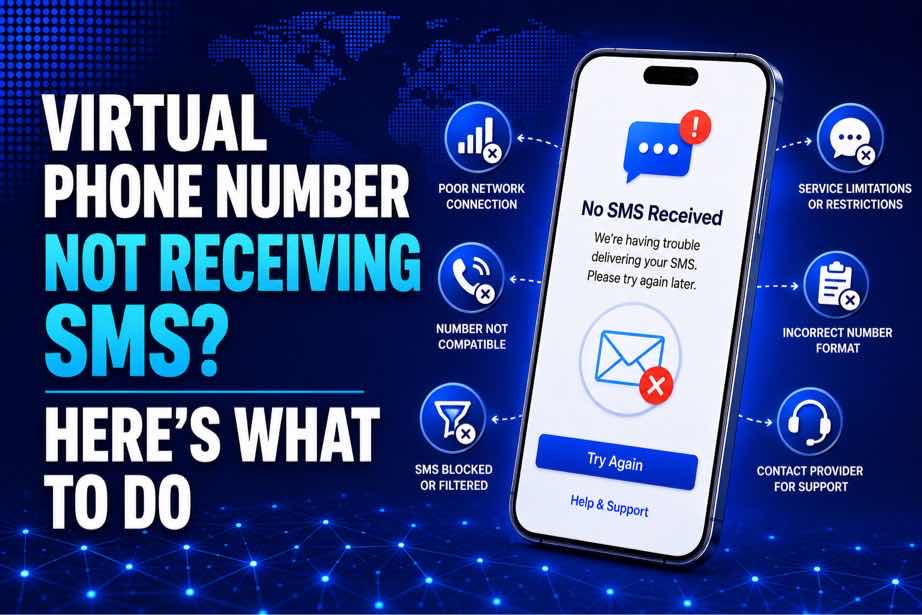
Virtual Phone Number Not Receiving SMS? Fix It
Introduction
Waiting for an SMS that never arrives can be frustrating, especially when you need a verification code to complete an account registration or confirm your identity.
If your virtual phone number not receiving SMS, the problem could be caused by several factors. The number may be temporarily unavailable, the platform may restrict virtual numbers, or the SMS could simply be delayed.
The good news is that many SMS delivery problems can be identified with a few simple checks. In this guide, we'll explain the most common reasons a virtual phone number may not receive SMS and what you can do about them.
Table of Contents
- Why Is My Virtual Phone Number Not Receiving SMS?
- 1. The SMS Is Delayed
- 2. The Platform Doesn't Support the Number
- 3. The Number or Country Code Is Incorrect
- 4. The Verification Code Has Expired
- 5. Too Many SMS Requests Were Made
- 6. The Platform Is Experiencing Problems
- 7. The Virtual Number Is No Longer Available
- How to Fix a Virtual Phone Number Not Receiving SMS
Why Is My Virtual Phone Number Not Receiving SMS?
There isn't always one obvious reason when a virtual number doesn't receive a message.
SMS delivery depends on several systems working together, including the platform sending the message, the SMS network, the virtual number provider, and the number itself.
The most common causes include:
- SMS delivery is delayed.
- The platform blocks or restricts virtual numbers.
- The wrong number or country code was entered.
- The OTP has expired.
- Too many verification requests were made.
- The sending platform is experiencing a temporary issue.
- The virtual number is inactive or unavailable.
Finding the cause first can help you avoid repeatedly requesting codes without solving the underlying problem.
1. The SMS Is Delayed
Sometimes everything is working correctly, but the verification message takes longer than expected to arrive.
SMS delivery can be affected by network congestion, routing delays, or temporary issues between the sender and the receiving number.
If the platform has just sent the code, give it a little time before requesting another one.
Tip: Avoid repeatedly clicking “Resend code.” Multiple requests can result in several different OTPs, and older codes may become invalid.
2. The Platform Doesn't Support the Number
One of the most important things to check is whether the website or application accepts virtual phone numbers.
Some platforms accept virtual numbers, while others restrict VoIP, temporary, or other types of online numbers.
If the service doesn't support your number type, the SMS may never arrive even though the virtual number itself is active.
A working virtual number does not automatically mean it will receive verification SMS from every platform.
3. The Number or Country Code Is Incorrect
A simple input error can prevent the verification message from reaching your number.
Before requesting another code, check the number carefully.
- Confirm every digit.
- Check the country code.
- Make sure the selected country matches the number.
- Remove unnecessary spaces or characters.
- Confirm that you entered the complete number.
If the wrong number was submitted, the SMS will be sent somewhere else—or nowhere useful at all.
4. The Verification Code Has Expired
Verification codes are usually temporary. If an OTP takes too long to arrive, it may no longer be valid by the time you receive it.
This can happen when SMS delivery is delayed or when several codes have been requested.
If you receive an expired code, return to the verification page and request a new one according to the platform's instructions.
5. Too Many SMS Requests Were Made
Requesting multiple verification codes within a short period can trigger temporary restrictions.
Some platforms limit the number of OTP requests allowed within a certain timeframe. Others may temporarily stop sending messages after detecting repeated attempts.
If you've requested several codes already, stop and wait before trying again.
More requests don't always mean faster delivery.
6. The Platform Is Experiencing Problems
Sometimes the problem has nothing to do with your virtual number.
The website or application sending the SMS may be experiencing technical issues, delays, or problems with its verification service.
If other users are reporting similar problems, waiting and trying again later may be the best option.
7. The Virtual Number Is No Longer Available
Depending on the type of virtual number you're using, availability may be temporary.
If the number has expired, been released, or is no longer assigned to your account, it may not receive new messages.
Always check the status of the number before starting a verification process.
Virtual Number SMS Problems vs. Verification Problems
| Problem | Possible Cause |
|---|---|
| SMS hasn't arrived | Delivery delay or platform issue |
| Number rejected immediately | Number type or platform restriction |
| OTP arrives too late | SMS routing delay |
| OTP is invalid | Older code was used or a new code replaced it |
| Number suddenly stops receiving SMS | Number may be inactive or unavailable |
How to Fix a Virtual Phone Number Not Receiving SMS
Step 1: Confirm the Number Is Active
Check that your virtual number is still active and available for incoming SMS.
Step 2: Check the Platform
Confirm that the website or app supports virtual numbers and the specific country you're using.
Step 3: Verify the Number
Double-check every digit and make sure the correct country code was selected.
Step 4: Wait Before Requesting Another Code
Give the first SMS enough time to arrive. Avoid immediately requesting multiple codes.
Step 5: Request a New OTP
If the original code has expired or never arrives, request another code after the platform's recommended waiting period.
Step 6: Try Another Suitable Number
If the number continues to have problems and the platform supports virtual numbers, another suitable active number may help determine whether the issue is specific to the original number.
Step 7: Contact Support
If you've confirmed that everything is correct but SMS still doesn't arrive, contact the platform's official support team or your virtual number provider.
How ZubaSMS Can Help
If you need a virtual phone number for receiving SMS verification codes on supported services, ZubaSMS.com provides virtual phone numbers for SMS verification.
When using a virtual number, always check whether the platform you're verifying supports that number type and country.
If one number isn't receiving the expected message, checking the number status or selecting another suitable number may help identify whether the issue is number-specific.
Common Mistakes to Avoid
- Requesting too many OTPs: Multiple requests can invalidate previous codes.
- Entering the wrong country code: This can prevent the SMS from reaching the intended number.
- Using an unsupported number type: Some platforms restrict virtual or temporary numbers.
- Ignoring number status: An inactive number cannot receive new SMS messages.
- Trying repeatedly without waiting: Temporary restrictions can become harder to troubleshoot when you keep making requests.
Frequently Asked Questions
Why is my virtual phone number not receiving SMS?
Your virtual phone number not receiving SMS problem may be caused by SMS delays, platform restrictions, an incorrect number, an inactive number, too many requests, or technical issues on the sender's side.
How long should I wait for a verification SMS?
Delivery time varies by platform and network. If the message doesn't arrive after a reasonable wait, follow the platform's instructions before requesting another code.
Why does my virtual number work on one website but not another?
Different websites have different verification policies. One service may accept your virtual number while another restricts the same number type.
Can I request another OTP if the first one doesn't arrive?
Yes, if the platform provides a resend option. However, wait for the recommended period before requesting another code and use the newest valid OTP.
Can ZubaSMS receive verification SMS?
ZubaSMS.com provides virtual phone numbers for receiving SMS verification codes on supported platforms. Availability and compatibility depend on the service you're using.
Need a Virtual Number for SMS Verification?
If your virtual phone number not receiving SMS problem continues, first check the number status, country, platform compatibility, and whether you've made too many verification requests.
For supported services, ZubaSMS.com provides virtual phone numbers for receiving SMS verification codes.
Conclusion
A virtual phone number not receiving SMS issue can have several causes, from simple formatting mistakes to platform restrictions and temporary SMS delivery delays.
Start by confirming that the number is active, the country is supported, and the platform accepts your number type. Then wait before requesting another OTP, especially if you've already made several attempts.
If you need a virtual phone number for SMS verification on a supported platform, ZubaSMS.com can provide virtual numbers for receiving verification messages.
Practical Troubleshooting Tips
If your virtual phone number not receiving SMS problem continues, work through the following checks before requesting another number.
Check the Number Status
Make sure the virtual number is still active and assigned to you. An expired, released, or unavailable number won't be able to receive new messages.
Confirm SMS Support
Not every virtual number supports every type of incoming message. Some platforms may also restrict SMS delivery to certain number categories.
Check whether the service you're using supports SMS verification for the number you're trying to use.
Wait Before Requesting Another Code
SMS messages can sometimes take longer than expected to arrive. Give the system enough time before requesting another OTP.
Requesting multiple codes too quickly can create several problems because a newer code may invalidate an earlier one.
Check for Platform Restrictions
If your number works normally but doesn't receive messages from one particular website or app, the platform may be restricting that number type.
Try checking the platform's verification requirements or support documentation.
What If the SMS Still Doesn't Arrive?
If you've checked the number, country, and platform requirements and the SMS still doesn't arrive, the problem may be outside your control.
The sender could be experiencing a temporary outage, the SMS route could be delayed, or the platform may not support delivery to that particular number.
At this point, avoid repeatedly requesting codes. Instead, wait and try again later or use another supported number if the platform allows it.
When Should You Use Another Virtual Number?
Using another number can be reasonable when the original number is unavailable, inactive, repeatedly fails to receive messages, or appears to be incompatible with the platform.
Before switching, however, make sure the platform actually supports virtual numbers. If it doesn't, changing from one virtual number to another is unlikely to solve the problem.
Choose the Right Country
If the platform supports only specific countries, select a number from one of those supported regions.
Choose an Active Number
Make sure the number is available for receiving incoming SMS before beginning the verification process.
Check Platform Compatibility
Remember that compatibility varies between services. A number that works for one platform may not work for another.
How ZubaSMS Can Help With SMS Verification
If you need a virtual phone number for receiving SMS verification codes, ZubaSMS.com provides virtual phone numbers for supported services.
Before selecting a number, check the platform's requirements, including supported countries and number types. This helps reduce the chance of choosing a number that the service doesn't accept.
If you're troubleshooting a specific number, checking its availability and trying another suitable option may help identify whether the issue is with the number itself.
Common Mistakes That Can Stop SMS From Arriving
Requesting Too Many Codes
Repeated OTP requests can cause older codes to become invalid and may trigger temporary restrictions.
Using an Unsupported Country
Always confirm that the number's country is supported by the website or application.
Ignoring the Number's Status
An inactive or expired virtual number cannot receive new SMS messages.
Assuming Every Platform Accepts Virtual Numbers
Virtual number support varies by service. Always check compatibility before starting verification.
Entering the Wrong Number
A single incorrect digit can send the verification message to the wrong destination or prevent the request from being processed.
Frequently Asked Questions
Why is my virtual phone number not receiving SMS?
Your virtual phone number not receiving SMS problem could be caused by a delivery delay, unsupported number type, country restriction, inactive number, too many verification attempts, or an issue with the platform sending the message.
Why does my virtual number receive some SMS but not verification codes?
Some platforms use additional restrictions for verification messages. A number can receive ordinary SMS while a particular service blocks or limits verification messages.
Can I use another virtual number?
If the platform supports virtual numbers, another suitable active number may help. If the platform doesn't support virtual numbers, switching numbers won't remove that restriction.
Should I keep requesting an OTP if it doesn't arrive?
No. Avoid repeatedly requesting codes. Wait for the platform's recommended period before requesting another OTP.
How can I tell whether the problem is the number or the platform?
If the number works with other supported services but consistently fails with one particular platform, the issue may be related to that platform's verification rules or SMS delivery system.
Does ZubaSMS provide virtual numbers for SMS verification?
Yes. ZubaSMS.com provides virtual phone numbers for receiving SMS verification codes on supported platforms.
Need a Virtual Number for SMS Verification?
If you're struggling with a virtual phone number not receiving SMS, start by checking whether the number is active, whether the platform supports the number type, and whether the correct country has been selected.
For supported verification services, ZubaSMS.com provides virtual phone numbers for receiving SMS verification messages.
Conclusion
A virtual phone number not receiving SMS doesn't necessarily mean the number is broken. The issue could come from SMS delays, platform restrictions, country limitations, number availability, or excessive verification attempts.
Start with the basics: confirm the number is active, check the country and number type, and make sure the platform supports virtual numbers. Avoid requesting multiple OTPs in quick succession, and give delayed messages enough time to arrive.
If the problem continues and the platform supports virtual numbers, you can consider another suitable number. ZubaSMS.com provides virtual phone numbers for receiving SMS verification codes on supported services.