
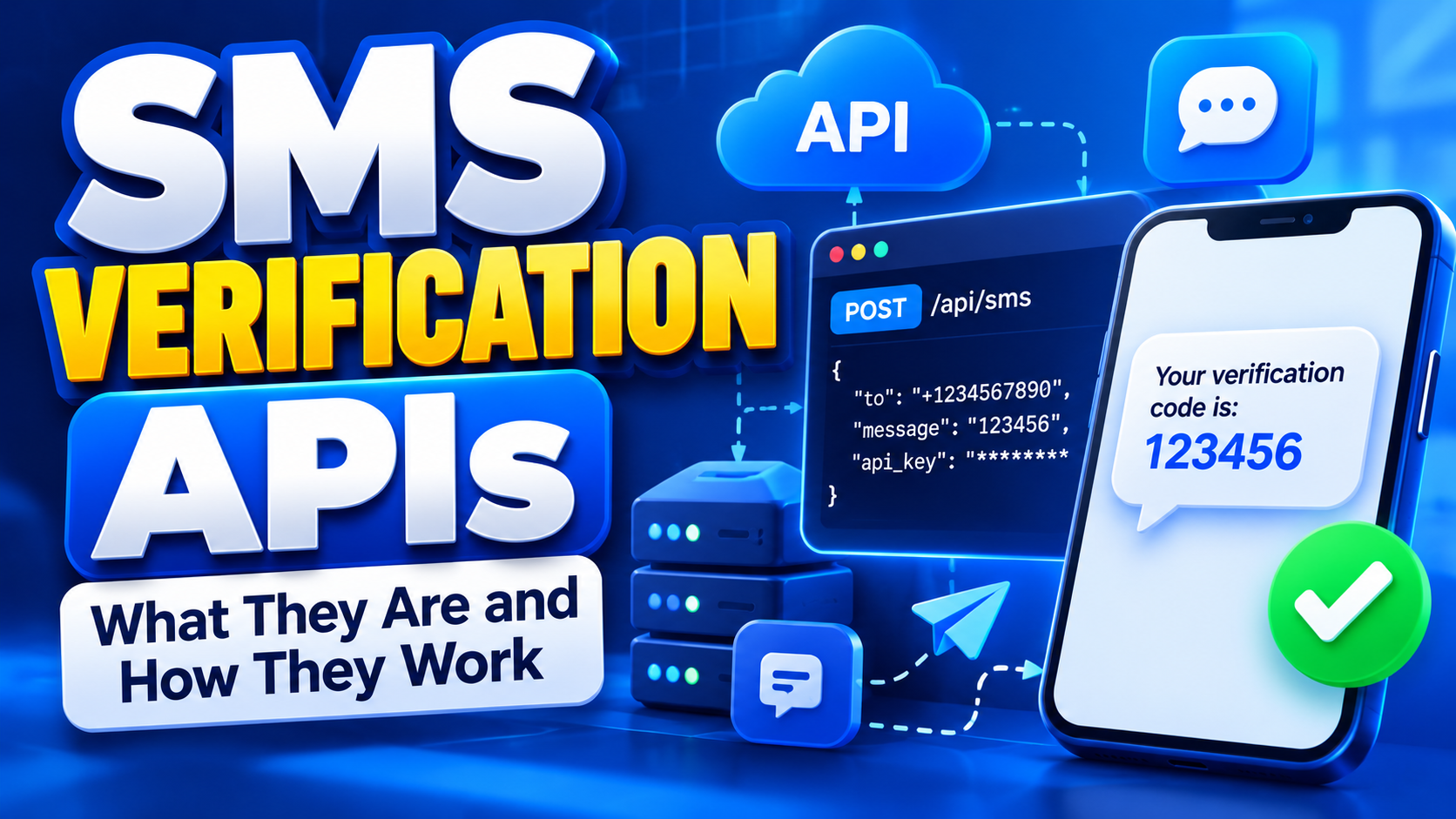
SMS Verification APIs: What They Are and How They Work
SMS Verification APIs: What They Are and How They Work
Phone verification is now a standard part of many websites and mobile applications. From creating an account to resetting a password, businesses use one-time passwords (OTPs) sent by SMS to confirm that a user has access to a particular phone number.
An SMS verification API makes this process easier by allowing an application to automatically send verification codes and handle the verification process through software instead of requiring employees to manage messages manually.
In this guide, we will explain what an SMS verification API is, how it works, the typical verification flow, important API features, security considerations, common problems, and what businesses should look for when choosing a provider.
Quick Answer: What Is an SMS Verification API?
An SMS verification API is a software interface that allows a website, mobile app, or online platform to send OTP verification codes to users through SMS.
Instead of manually sending a code whenever someone registers, the application communicates with the API automatically. The API sends the OTP to the user's phone, while the application checks whether the code entered by the user is correct.
A typical process looks like this:
- A user enters their phone number.
- The application sends a verification request to the SMS verification API.
- The API generates or sends an OTP.
- The user receives the SMS.
- The user enters the OTP into the application.
- The application verifies the code.
- The account or requested action is approved if the verification succeeds.
Table of Contents
- What Is an SMS Verification API?
- How Does an SMS Verification API Work?
- What Is an SMS OTP API?
- Why Do Businesses Use SMS Verification APIs?
- Key Features of an SMS Verification API
- SMS Verification API Workflow
- What Happens When an OTP Is Sent?
- How OTP Verification Works
- Common Uses of SMS Verification APIs
- Security Considerations
- Common SMS Verification API Problems
- How to Choose an SMS Verification API
What Is an SMS Verification API?
An API, or Application Programming Interface, allows different software systems to communicate with each other.
An SMS verification API connects your website or application to an SMS delivery system. Your application sends instructions through the API, and the provider handles the SMS delivery infrastructure needed to send the verification message.
For example, imagine you are building a website where users must verify their phone numbers before creating an account.
Without an API, you would need to build and maintain much of the SMS delivery infrastructure yourself. With an API, your application can make a request to the provider whenever it needs to send a verification code.
The API may handle tasks such as:
- Generating or delivering OTP codes
- Sending SMS messages
- Routing messages through available networks
- Returning delivery or API status information
- Handling verification requests
- Applying rate limits and security controls
This makes SMS verification much easier to integrate into websites, mobile applications, SaaS platforms, marketplaces, and other digital products.
How Does an SMS Verification API Work?
The exact implementation differs between providers, but most SMS verification systems follow a similar process.
1. The User Provides a Phone Number
The process usually starts when a user enters their phone number during registration, login, account recovery, or another action that requires verification.
The application should validate the phone number format before sending the request to the API. This helps prevent unnecessary API calls and reduces failed messages.
2. Your Application Sends a Request to the API
Your backend sends an authenticated request to the SMS verification API.
The request may contain information such as the destination phone number, message template, sender information, or verification parameters depending on the API design.
3. The Verification System Generates an OTP
An OTP is a temporary code that is normally valid for a limited period.
For example, the system may generate a six-digit code such as 482913. The actual code should be randomly generated and protected from unauthorized access.
4. The API Sends the SMS
The SMS provider routes the message toward the recipient's mobile network.
The user may receive a message such as:
Your verification code is 482913. This code expires shortly.
The exact delivery time can vary depending on the destination country, mobile network, routing path, provider configuration, and network conditions.
5. The User Enters the OTP
After receiving the SMS, the user enters the verification code into the application.
The application then sends the submitted code to the verification system for validation.
6. The Code Is Verified
If the code matches the expected value and has not expired or already been used, the verification attempt can be marked as successful.
If the code is incorrect, expired, or invalid, the application should reject the attempt and allow the user to request another code according to its verification rules.
What Is an SMS OTP API?
An SMS OTP API is an API specifically designed to support one-time password verification through SMS.
OTP verification is different from simply sending a normal SMS. A verification system needs to manage the code, expiration period, verification attempts, and the relationship between the code and the user's verification session.
A good OTP system should make codes:
- Temporary
- Random or securely generated
- Difficult to guess
- Invalid after successful use
- Invalid after expiration
- Protected against excessive verification attempts
Some providers offer a complete verification API where the provider manages the OTP generation and verification process. Others provide an SMS API that lets the developer generate and manage OTPs within their own application.
Why Do Businesses Use SMS Verification APIs?
Manually verifying phone numbers does not scale well. If a platform has thousands or millions of users, sending and managing verification messages manually would be impractical.
An API allows the process to happen automatically whenever a user needs verification.
Automated Verification
The application can automatically trigger an SMS when a user requests verification. There is no need for a staff member to send the message manually.
Scalability
Businesses can integrate SMS verification into their registration and authentication systems and handle many verification requests programmatically.
Faster User Experience
Users can receive a verification code and complete registration without waiting for manual assistance.
Developer Integration
Developers can connect the verification system directly to websites, mobile applications, backend systems, and other software.
Better Control
Businesses can define rules around OTP expiration, retry attempts, verification frequency, and other parts of the authentication process.
Key Features of an SMS Verification API
Not every provider offers the same capabilities. Before selecting an API, it is important to understand the features that can affect reliability and integration.
API Authentication
The API should use secure authentication methods, such as API keys or other supported authentication mechanisms.
API credentials should never be exposed in frontend code or publicly accessible repositories.
OTP Generation
A verification API may generate OTP codes automatically. This reduces the amount of verification logic that developers need to build themselves.
OTP Verification
Some platforms provide both code generation and code verification endpoints. This can simplify the implementation because the provider manages more of the verification workflow.
SMS Delivery
The API should provide a reliable way to send verification messages to supported destinations.
Delivery Reports
Delivery reports can help businesses understand whether an SMS was successfully delivered, failed, or is still being processed.
Webhooks
Webhooks allow the provider to send events back to your application automatically. For example, your system may receive an update when an SMS delivery status changes.
Rate Limits
Rate limiting helps prevent abuse and protects both the API and your application from excessive requests.
International Number Support
If your application has users in multiple countries, check whether the API supports the destinations you need.
SMS Verification API Workflow
A simplified API verification workflow can look like this:
- User registration: The user enters their phone number.
- Validation: Your application checks that the number is correctly formatted.
- API request: Your backend requests an OTP through the verification API.
- OTP delivery: The SMS is sent to the user's phone.
- User input: The user enters the received code.
- Verification request: Your backend checks the code.
- Result: The API or your application returns a success or failure response.
- Account action: The application completes the registration or requested action if verification succeeds.
This automated workflow is one of the main reasons businesses use an SMS verification API instead of manually managing phone verification.
What Happens When an OTP Is Sent?
When your application requests an OTP, several systems may work together before the message reaches the user's phone.
Your application first communicates with the API. The provider then processes the request and routes the SMS through its available messaging infrastructure.
The message eventually reaches the recipient's mobile network, which delivers it to the user's device.
Because multiple systems can be involved, delivery time is not always identical. Network congestion, routing, carrier restrictions, destination country, and other factors can affect the result.
How OTP Verification Works
OTP verification is designed to confirm that a user has access to the phone number they entered. The process is usually temporary, meaning the code should only remain valid for a short period.
A typical verification system works like this:
- The user enters a phone number.
- The application requests an OTP.
- The verification system generates a temporary code.
- The code is sent through SMS.
- The user enters the code into the application.
- The system compares the submitted code with the expected code.
- If the code is correct and still valid, verification succeeds.
A secure implementation should also prevent the same OTP from being reused after successful verification.
Common Uses of SMS Verification APIs
SMS verification APIs are used across many types of digital products. Whenever a business needs to confirm control of a phone number, SMS-based verification can be part of the authentication process.
Account Registration
Many websites and mobile applications ask new users to verify their phone numbers during registration. This can help reduce fake registrations and improve account security.
Login Verification
Some applications use SMS OTPs as an additional authentication step when users sign in.
Password Reset
An OTP can be sent to a verified phone number when a user needs to recover access to an account.
Two-Factor Authentication
SMS can be used as one authentication factor alongside a password or another authentication method.
Transaction Confirmation
Some businesses use verification codes to confirm certain actions or transactions. However, sensitive financial applications should use security controls appropriate to the risks involved rather than relying on SMS alone.
Marketplace and E-Commerce Platforms
Online marketplaces can use phone verification to help confirm that users have access to the phone numbers associated with their accounts.
SaaS Applications
Software companies can integrate phone verification into account creation, authentication, onboarding, and account recovery workflows.
Security Considerations for an SMS Verification API
Sending an OTP is only one part of building a secure verification system. The API integration and the application using it also need appropriate security controls.
Protect Your API Credentials
API keys and other credentials should be stored securely on your backend. Never expose private API credentials in browser-side JavaScript, mobile application source code, public repositories, or client-facing pages.
Use Short-Lived OTPs
Verification codes should expire after a reasonable period. A short validity period reduces the opportunity for an intercepted or accidentally exposed code to be reused.
Limit Verification Attempts
Your system should limit how many times a user can request or enter verification codes within a certain period.
This helps reduce abuse, automated attacks, unnecessary SMS costs, and repeated requests against the same phone number.
Prevent OTP Reuse
Once a code has been successfully verified, it should normally become invalid. Allowing the same OTP to be reused creates an unnecessary security weakness.
Protect Against Automated Abuse
Attackers can abuse SMS verification systems by repeatedly requesting OTPs for large numbers of phone numbers.
Consider controls such as rate limits, request throttling, CAPTCHA where appropriate, IP monitoring, device signals, and suspicious activity detection.
Do Not Log Sensitive OTP Data Unnecessarily
Developers should be careful about logging OTPs in application logs, debugging systems, or analytics platforms. Sensitive verification information should only be retained when there is a legitimate operational or security reason.
Common SMS Verification API Problems
Even when an API integration is technically correct, verification can sometimes fail. Understanding common problems can make troubleshooting much easier.
OTP Not Received
If the user does not receive the SMS, check the API response, delivery status, phone number format, destination country, available routing, and any applicable carrier restrictions.
It is also useful to provide a controlled retry option rather than allowing unlimited OTP requests.
OTP Expired
Verification codes are intentionally temporary. If the user waits too long, the code may no longer be valid.
Your interface should clearly tell users when they can request another code.
Too Many Requests
Repeatedly requesting OTPs can trigger rate limits. This can happen because of impatient users, application bugs, automated scripts, or malicious activity.
Implement cooldown periods between requests and display a clear message when the user needs to wait.
Invalid Phone Number Format
International phone numbers should be handled consistently. Using a standard international format such as E.164 can reduce formatting problems when working with international SMS APIs.
Unsupported Destination
Not every provider supports every country, carrier, or number type. Before integrating an API, confirm that the destinations relevant to your users are supported.
Verification Works in Testing but Fails in Production
A development environment may behave differently from production. Differences in API credentials, sender configuration, routing, rate limits, account settings, or traffic volume can affect results.
Always test the complete production workflow before launching phone verification to all users.
How to Choose an SMS Verification API
Choosing an API based only on its advertised SMS price can lead to problems later. Businesses should evaluate the complete service and determine whether it matches their technical and operational requirements.
1. Check Supported Countries
Make sure the provider supports the countries where your users are located. International coverage can vary significantly between providers.
2. Review API Documentation
Good documentation can make integration considerably easier. Look for clear API endpoints, authentication instructions, request examples, response formats, error codes, and webhook documentation.
3. Check Delivery Reporting
Delivery reports help you determine whether messages are being delivered successfully. This can be especially important when troubleshooting failed verification attempts.
4. Understand Pricing
Look beyond the headline price. Check whether pricing differs by country, carrier, message type, or routing method.
Also consider whether failed messages, retries, number rental, API access, or other features have separate costs.
5. Look at Rate Limits
If your application expects significant verification traffic, understand the provider's API limits before integration.
A service that works for a small test may require a different plan or configuration when traffic grows.
6. Check Support
When phone verification stops working, technical support can be valuable. Check how the provider handles API issues, delivery problems, account questions, and integration support.
7. Test Before Scaling
Always test the API with the countries, networks, and use cases that matter to your business before committing significant traffic or budget.
Need an SMS Verification API?
If you are building a website, application, or digital platform that requires SMS-based verification, using an API can automate OTP delivery and simplify the verification process.
ZubaSMS provides SMS and verification solutions for businesses and developers that need programmatic access to SMS services and virtual numbers.
Get started today: ZubaSMS
Frequently Asked Questions
What is an SMS verification API?
An SMS verification API is a software interface that allows an application to send SMS verification codes and, depending on the provider, manage OTP verification programmatically.
What is the difference between an SMS API and an SMS verification API?
An SMS API can be used to send many types of SMS messages, including notifications, alerts, marketing messages, and transactional messages. An SMS verification API is specifically designed around phone verification and OTP workflows.
What is an SMS OTP API?
An SMS OTP API allows applications to use one-time passwords delivered through SMS as part of their authentication or verification process.
How long should an SMS OTP remain valid?
The appropriate expiration period depends on the application's security requirements and implementation. OTPs should generally be short-lived and should become invalid after expiration or successful use.
Can I use an SMS verification API for international users?
Yes, provided the API provider supports the countries and destinations you need. International coverage, pricing, routing, and delivery performance can vary between providers.
Why is my SMS verification API not delivering OTPs?
Possible causes include an invalid phone number, unsupported destination, carrier restrictions, routing problems, rate limits, account configuration issues, or temporary network problems. Check the API response and delivery status first.
Can an SMS verification API prevent fake accounts?
Phone verification can make certain types of automated or fraudulent registration more difficult, but it should not be treated as a complete fraud-prevention system. Businesses should combine phone verification with other security and abuse-prevention controls.
Is SMS verification completely secure?
SMS verification can provide useful account protection, but SMS itself has security limitations. For higher-risk applications, businesses should consider stronger authentication methods and additional security controls where appropriate.
What should developers look for in an SMS verification API?
Important factors include API documentation, supported countries, delivery reliability, OTP functionality, webhooks, delivery reports, rate limits, pricing, security controls, scalability, and technical support.
Conclusion
An SMS verification API allows websites and applications to automate phone verification through SMS. Instead of manually sending verification messages, developers can connect their applications to an API and trigger OTP verification whenever it is required.
The basic process is straightforward: collect the phone number, request an OTP, deliver the SMS, receive the user's code, and verify it securely.
However, a successful implementation requires more than simply sending an SMS. Businesses should consider security, OTP expiration, rate limiting, delivery reporting, international coverage, API documentation, pricing, and reliability when selecting a provider.
For businesses and developers building products that depend on phone verification, choosing the right API can make the verification experience more reliable while reducing the amount of messaging infrastructure that needs to be built internally.
When you are ready to explore SMS verification and virtual number solutions, you can get started with ZubaSMS.