
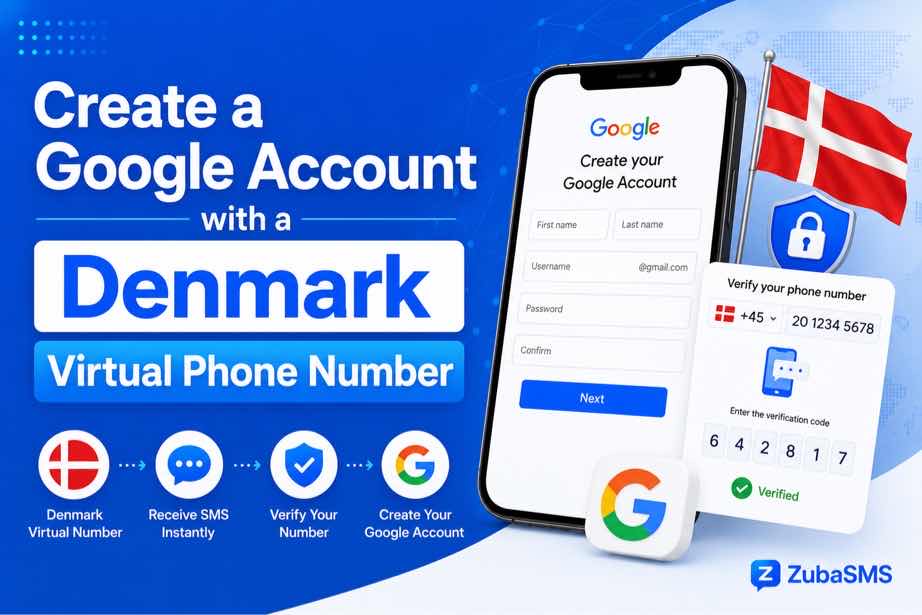
Create a Google Account with a Denmark Virtual Phone Number
Create a Google Account with a Denmark Virtual Phone Number
When creating a new Google Account, Google may ask you to provide a phone number for verification or account security. If you need a Danish telephone number, a Denmark virtual number for Google may be an option, depending on Google's current requirements and whether the specific number type is accepted.
Virtual phone numbers can be useful for legitimate business communications, remote work, travel, and managing separate communication channels. However, Google does not guarantee that every virtual or VoIP number will be accepted for account verification.
This guide explains what a Denmark virtual number is, how phone verification works, what to consider before choosing a number, and the limitations you may encounter when using a virtual number with Google.
Important: Always follow Google's Terms of Service and account verification requirements. Do not use virtual numbers to bypass security measures, create fraudulent accounts, or evade Google's restrictions.
Table of Contents
- What Is a Denmark Virtual Number?
- Can You Use a Denmark Virtual Number for Google?
- Denmark Country Code
- What You Need Before Creating a Google Account
- How to Create a Google Account with a Denmark Virtual Number
- Receiving Google's Verification SMS
- Virtual Number Compatibility
- Common Problems and Solutions
- Privacy and Security Considerations
- How to Choose a Denmark Virtual Number
- Using ZubaSMS for a Denmark Virtual Number
- Funding Options
- Frequently Asked Questions
- Looking for a Denmark Virtual Number?
- Conclusion
What Is a Denmark Virtual Number?
A Denmark virtual number is a Danish telephone number that is managed through an internet-based communication service rather than being tied exclusively to a physical SIM card.
Depending on the provider, virtual numbers may support:
- Incoming SMS
- Incoming calls
- Outgoing calls
- Temporary access
- Rental periods
- Long-term use
If you need a number specifically for Google's phone verification process, the most important feature is reliable incoming SMS support and compatibility with Google's verification system.
Can You Use a Denmark Virtual Number for Google?
Google may allow users to verify an account with a phone number, but acceptance depends on Google's current policies and automated verification systems.
A Denmark virtual number may work if:
- The number can receive SMS messages.
- Google accepts the number type.
- The number has not exceeded Google's verification limits.
- The number meets Google's account security requirements.
However, Google may reject some virtual, VoIP, temporary, shared, or previously used numbers. Because Google's verification systems can change, no provider can guarantee that every virtual number will be accepted.
Denmark Country Code
Denmark's international telephone country code is +45.
When entering a Danish phone number into Google's account setup or security settings, select Denmark and enter the number in the format requested by Google.
What You Need Before Creating a Google Account
Before starting the account creation process, make sure you have:
- A valid email address or username you want to use.
- A secure password.
- A Denmark phone number if Google requests phone verification.
- Access to the phone number's incoming SMS messages.
- A stable internet connection.
If you use a virtual number, make sure you have legitimate access to the number and can receive messages sent to it.
How to Create a Google Account with a Denmark Virtual Number
Step 1: Start the Google Account Sign-Up Process
Open Google's official account creation page and begin the normal sign-up process.
Step 2: Enter Your Account Information
Provide the requested information, such as your name, preferred username, and password.
Step 3: Provide a Phone Number if Requested
If Google asks for phone verification, select Denmark and enter your eligible Danish phone number.
Step 4: Request the Verification Code
Google may send a verification code to the phone number you provided.
Step 5: Enter the Code
If the SMS arrives successfully, enter the verification code into the Google verification screen.
Step 6: Complete Account Setup
Continue following Google's instructions to finish setting up your account.
Google may request additional information or security settings depending on the account and circumstances.
Receiving Google's Verification SMS
If Google sends an SMS verification code, the message should arrive at the phone number associated with the account setup process.
With a compatible virtual number, the SMS may appear in the provider's online dashboard or supported application.
If you do not receive the message:
- Check that the number was entered correctly.
- Confirm that the number supports incoming SMS.
- Check the virtual number provider's message inbox.
- Wait briefly before requesting another code.
- Follow Google's official troubleshooting guidance.
Avoid repeatedly requesting codes, as excessive attempts may trigger temporary restrictions or delays.
Denmark Virtual Number Compatibility with Google
One of the biggest considerations when using a Denmark virtual number for Google is compatibility.
Google may distinguish between different categories of telephone numbers. Some virtual or VoIP numbers may not be accepted for verification.
Compatibility can depend on:
- The type of virtual number.
- The provider operating the number.
- Whether the number has been used for previous Google verification attempts.
- Google's current verification policies.
- The account creation circumstances.
For this reason, a virtual number provider cannot guarantee that every Danish number will work with Google's verification system.
Common Problems and Solutions
Google Does Not Accept the Number
If Google rejects the number, it may not support that particular number type or provider. Follow Google's official requirements rather than attempting to bypass the restriction.
The Verification SMS Does Not Arrive
Check that the number supports incoming SMS and that you have access to the correct inbox. Delivery can also be affected by network routing or provider limitations.
The Number Has Been Used Too Many Times
Google may limit how frequently a phone number can be used for verification. If the number has reached a verification limit, you may need to follow Google's recommended account recovery or verification options.
The Virtual Number Expires
Temporary and rental numbers may expire after a defined period. If you need ongoing access to the number for account security or recovery, consider a long-term number that you are authorized to retain.
You Lose Access to the Number
If a phone number is no longer available, you may have difficulty receiving future security codes. For important accounts, maintain access to your recovery options and keep your account information up to date.
Privacy and Security Considerations
Using a virtual phone number with an online account requires careful consideration of privacy and security.
Use a Number You Control
Only use a number that you have legitimately obtained and are authorized to access.
Consider Long-Term Access
If you intend to use the number for account recovery, a long-term number may be preferable to a temporary number.
Protect Verification Codes
Never share Google verification codes with other people. Google will not ask you to provide a security code to an unknown third party.
Secure Your Google Account
Use a strong password and enable Google's available security features, such as two-step verification, when appropriate.
Review Provider Privacy Policies
Understand how your virtual number provider handles account data and incoming messages before using the service.
How to Choose a Denmark Virtual Number for Google
If you are considering a Denmark virtual number, compare the following features:
- Incoming SMS support: Confirm that the number can receive messages.
- Number type: Check whether the number is mobile, VoIP, or another type.
- Access duration: Decide whether you need temporary, rental, or long-term access.
- Dedicated access: Consider whether the number is assigned specifically to you.
- Privacy: Review how messages and account information are handled.
- Renewal: Check whether you can keep the same number for longer.
- Pricing: Compare the total cost of the service.
Most importantly, confirm that the number is appropriate for your legitimate use and understand that Google ultimately decides whether a particular number can be used for verification.
Using ZubaSMS for a Denmark Virtual Number
ZubaSMS is a virtual phone number and SMS verification platform that offers numbers from multiple countries. If Danish numbers are currently available, users can explore the available options for supported SMS reception and other legitimate communication needs.
When considering a Denmark virtual number through ZubaSMS, review:
- Current Denmark number availability
- Incoming SMS support
- Number type
- Temporary or long-term access
- Dedicated or shared access
- Message retention
- Renewal options
- Pricing
Before selecting a number for any online account, review the provider's current terms and confirm that the number meets your intended communication requirements.
Keep in mind that ZubaSMS, or any other virtual number provider, cannot guarantee acceptance by Google or any other third-party platform.
Funding Options
When funding a ZubaSMS account, available payment methods may depend on your location.
- Nigeria: Bank Transfer
- Ghana: Mobile Money
- Kenya: M-Pesa
- International: USDT
Payment methods can change, so check the ZubaSMS platform for the latest available options before adding funds.
Frequently Asked Questions
Can I create a Google Account with a Denmark virtual number?
It may be possible if Google requests phone verification and accepts the specific virtual number. However, Google may reject certain virtual, VoIP, temporary, shared, or previously used numbers.
What is Denmark's country code?
Denmark's international telephone country code is +45.
Can a Denmark virtual number receive Google's SMS verification code?
If the number supports incoming SMS and is accepted by Google's verification system, it may receive the code.
Why did Google reject my virtual number?
Google may restrict certain number types or providers, or the number may have reached a verification limit. Follow Google's official account verification requirements.
Is a temporary Denmark virtual number suitable for a Google Account?
A temporary number may not be ideal for an important account because you could lose access to it after the rental period ends. Consider a number you can legitimately retain if you need it for ongoing account recovery.
Can I use the same phone number for multiple Google Accounts?
Google may limit how many accounts can be associated with or verified by the same phone number. The exact limits can vary, so follow Google's current policies.
Does ZubaSMS offer Denmark virtual numbers?
If Danish numbers are currently available on ZubaSMS, users can explore the available options and review their supported features and access terms.
Looking for a Denmark Virtual Number?
A Denmark virtual number for Google may be useful for legitimate account verification and security purposes when the number is compatible with Google's requirements.
Before choosing a number, consider incoming SMS support, number type, access duration, privacy, security, and whether you can maintain long-term access.
Looking for a Denmark virtual number for supported SMS and communication needs?
ZubaSMS provides virtual phone numbers from multiple countries, helping users access supported SMS services through an online platform.
Visit ZubaSMS to explore available options.
Conclusion
Using a Denmark virtual number for Google may be an option when Google requires phone verification and the specific virtual number is accepted by Google's systems.
The key is to choose a legitimate number with reliable SMS support and, if the account is important, access that you can maintain over time. Temporary or recycled numbers may create problems if you later need to recover your account.
Remember that Google controls its own verification requirements, and no virtual number provider can guarantee acceptance. Always follow Google's official policies and use virtual numbers responsibly.
If Danish numbers are available, ZubaSMS can be one provider to explore for supported virtual phone number and SMS needs. Review the latest provider terms before choosing a number.